Background App Standby
The Problem
Section titled “The Problem”On Samsung Galaxy phones, the feature that puts unused apps to sleep turns off their background activity. If an app is put to sleep, you will only receive its notifications when you open it again.
The Solution
Section titled “The Solution”To prevent apps from being put to sleep automatically:
-
Go to Settings, then to the Battery section
Section titled “Go to Settings, then to the Battery section”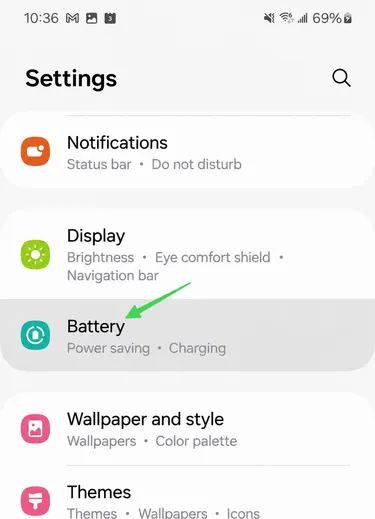
-
Then go to Background usage limits
Section titled “Then go to Background usage limits”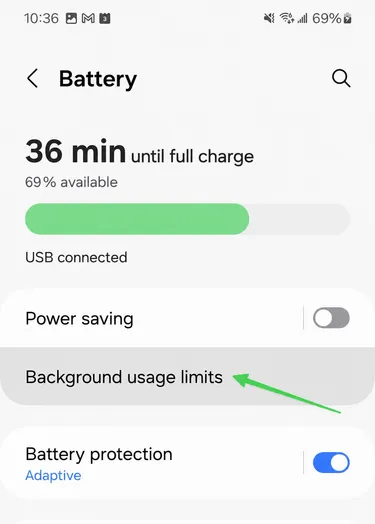
-
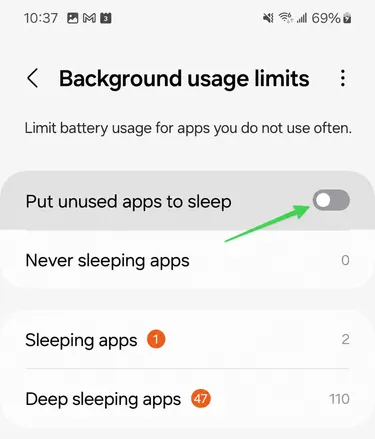
Turn off Put unused apps to sleep
Section titled “Turn off Put unused apps to sleep”