

Create a Trajectory
Create a trajectory (care channel template) in a module, then configure it in three steps.
A trajectory is a care channel template. Once configured, it lets you quickly create care channels for many patients, with the same title and the same actors. You can also prepare discussion thread templates in it, so you don’t have to retype the same message over and over.
This page explains how to create the trajectory. Each of the configuration steps that follow has its own page.
Before You Start
Section titled “Before You Start”Trajectories are created in a module. If your organizational unit doesn’t have a module yet, start by creating one.
Create the Trajectory
Section titled “Create the Trajectory”-
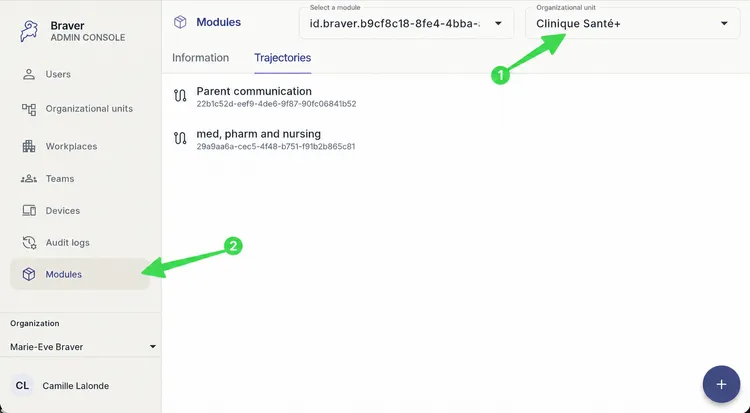
Make sure you are in the right organizational unit, then click Modules.
-
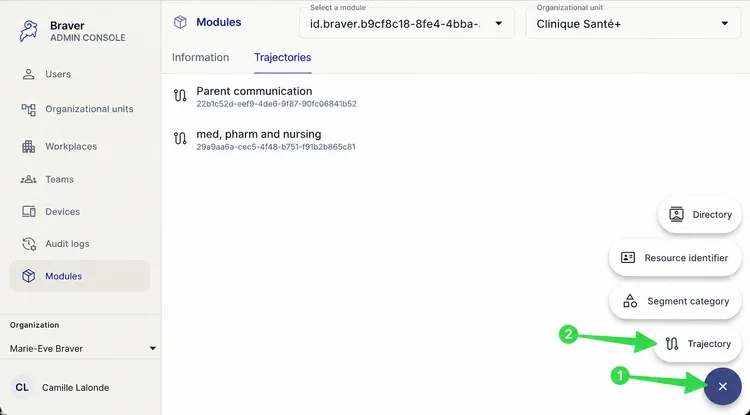
Click +, then select Trajectory.
-
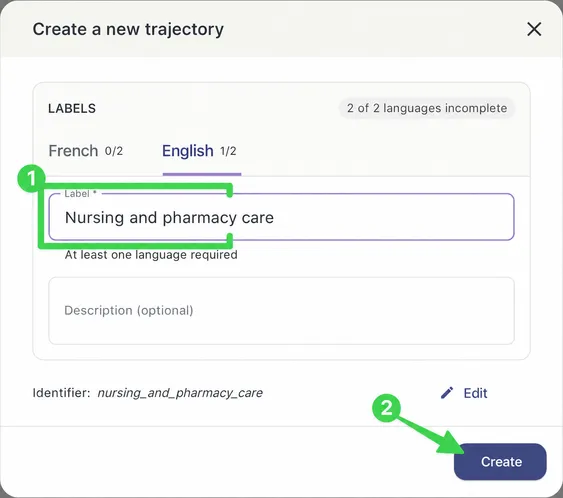
Name the trajectory, then click Create.
Next Steps
Section titled “Next Steps”Once the trajectory is created, configure it in this order: