Add File, Photo, or Video to Discussion Thread
Step-by-Step
Section titled “Step-by-Step”-
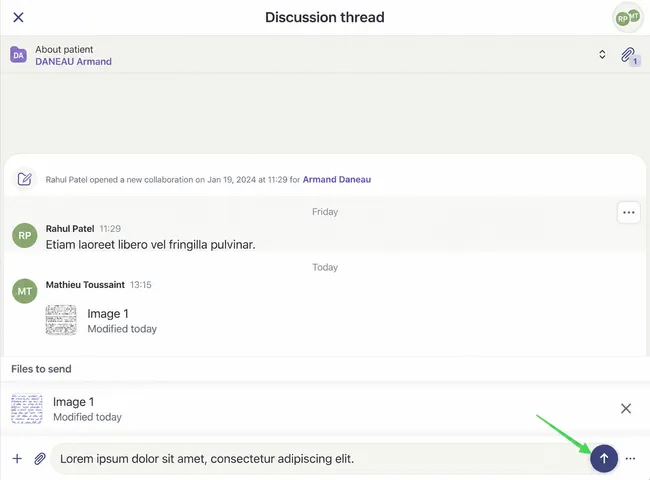
In a discussion thread, you can click the “+” symbol or paperclip icon to add an attachment.
Section titled “In a discussion thread, you can click the “+” symbol or paperclip icon to add an attachment.”
- On a computer, you can click “Attach a File”
- On a mobile device, you will have the option to take a photo, record a video, or select a file.
-
To finish, press the purple arrow to send your file.
Section titled “To finish, press the purple arrow to send your file.”