Modify PIN
Step-by-Step
Section titled “Step-by-Step”-
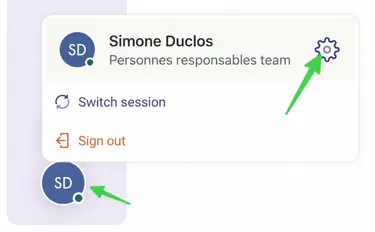
Start by navigating to your profile at the bottom of the screen.
-
Select Settings tab.
Section titled “Select Settings tab.”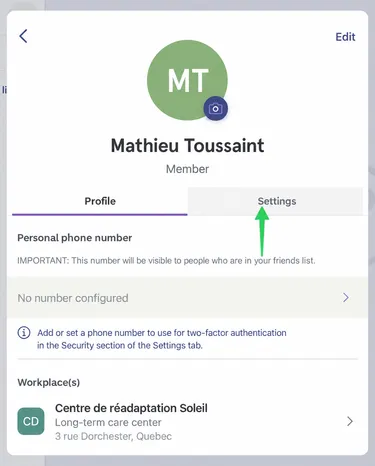
-
Under Security section, select Change My PIN.
Section titled “Under Security section, select Change My PIN.”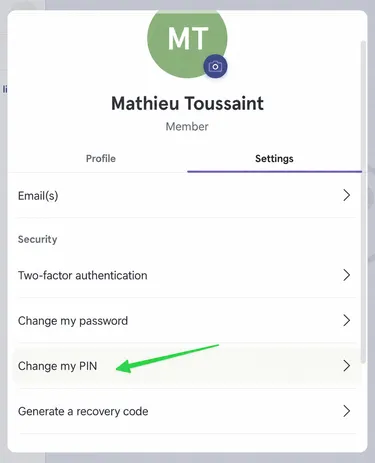
-
Enter the new PIN.
Section titled “Enter the new PIN.”
-
Repeat to ensure both PINs match.
Section titled “Repeat to ensure both PINs match.”