Initiate a New Discussion Thread with Patient or Caregiver
Step-by-Step
Section titled “Step-by-Step”-
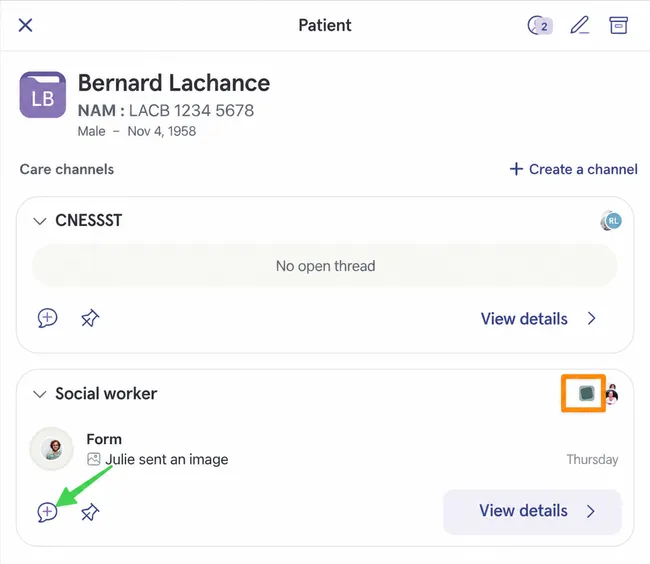
To initiate a new discussion thread with patient or caregiver, you must find a care channel where they are located.
Section titled “To initiate a new discussion thread with patient or caregiver, you must find a care channel where they are located.”In the example below, we see two care channels, and the orange box shows that only the second one includes the caregiver. We could then click on the discussion thread creation icon to quickly create a new discussion thread in the right place.
-
You can modify the default participants of the discussion thread by clicking on Modify.
Section titled “You can modify the default participants of the discussion thread by clicking on Modify.”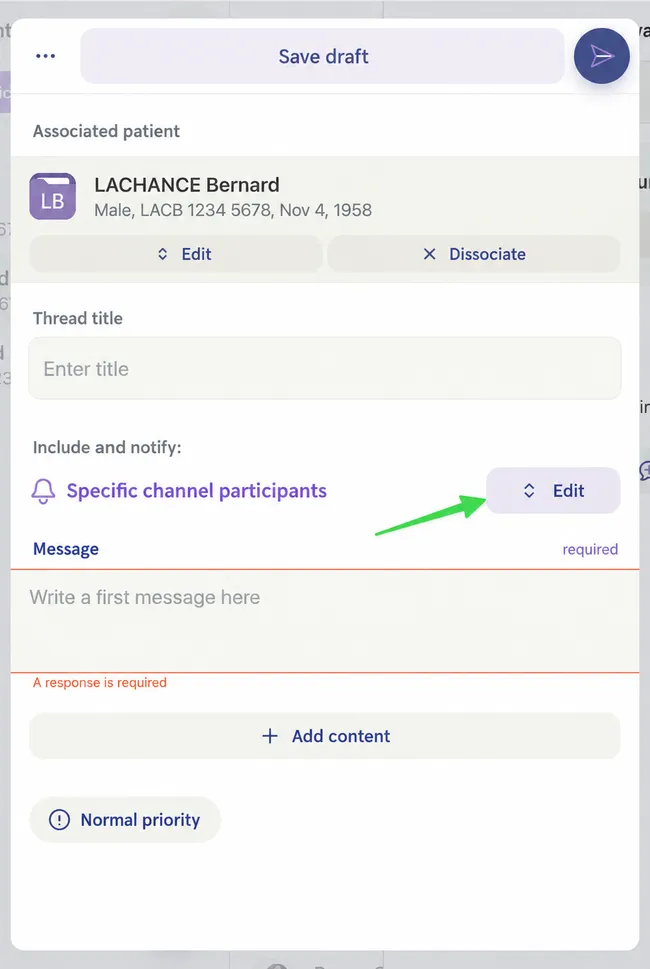
-
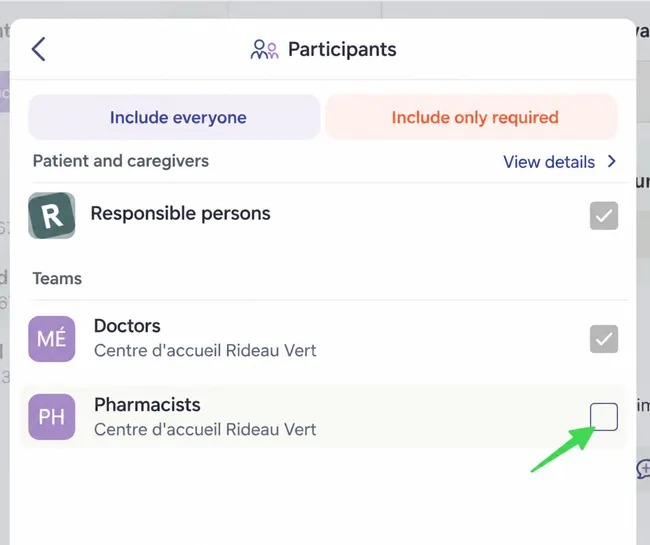
Here we see that the pharmacist team was not included in the thread you were about to create.
Section titled “Here we see that the pharmacist team was not included in the thread you were about to create.”Check the corresponding box if you want to add them.
-
Click on the back arrow at the top left to return to discussion thread creation.
Section titled “Click on the back arrow at the top left to return to discussion thread creation.”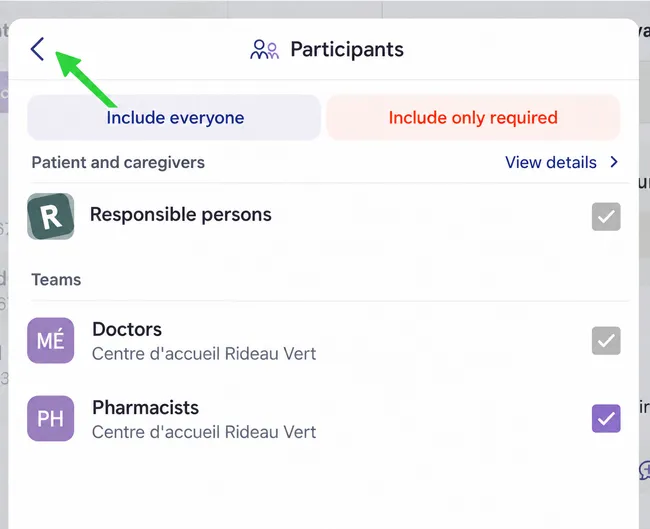
-
Enter a message, a title if needed, then send the discussion with the button at the top right.
Section titled “Enter a message, a title if needed, then send the discussion with the button at the top right.”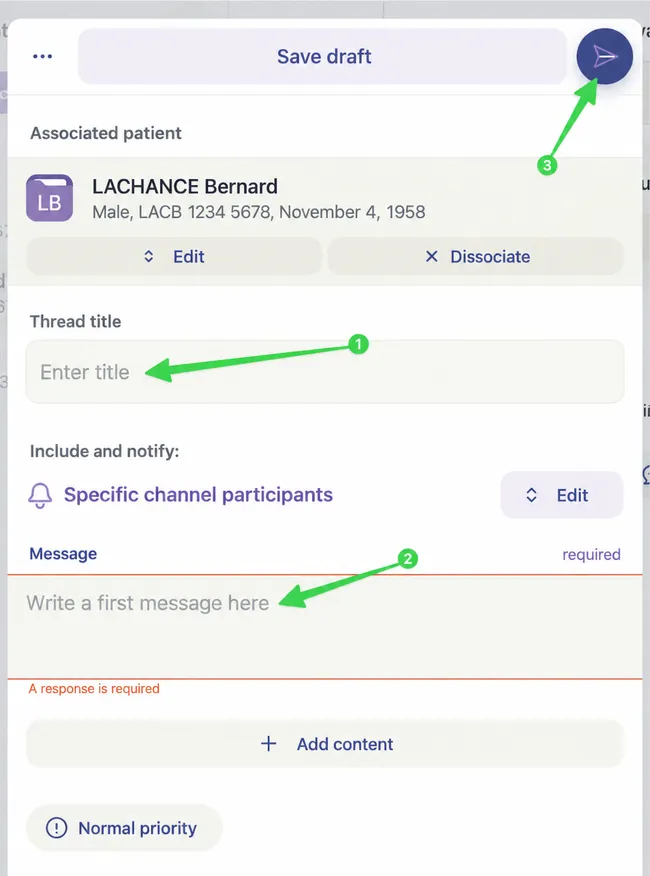
-
Your new discussion thread now appears in the Social Worker care channel in Mr. Lachance’s file.
Section titled “Your new discussion thread now appears in the Social Worker care channel in Mr. Lachance’s file.”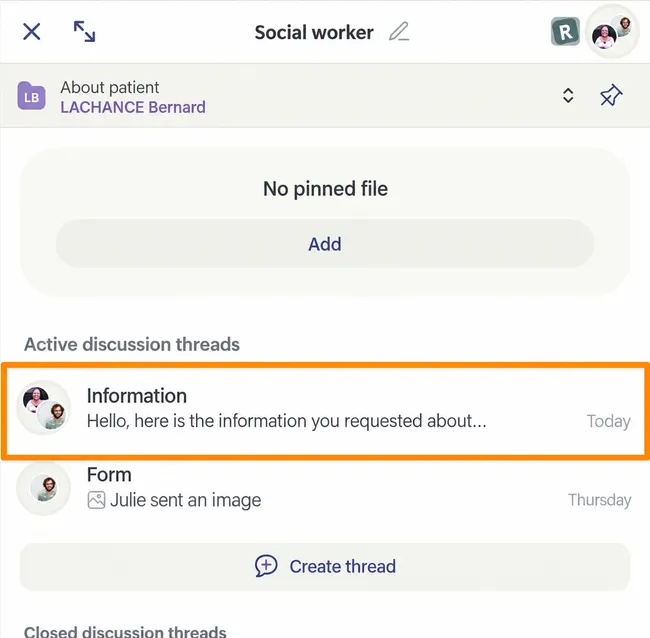
-
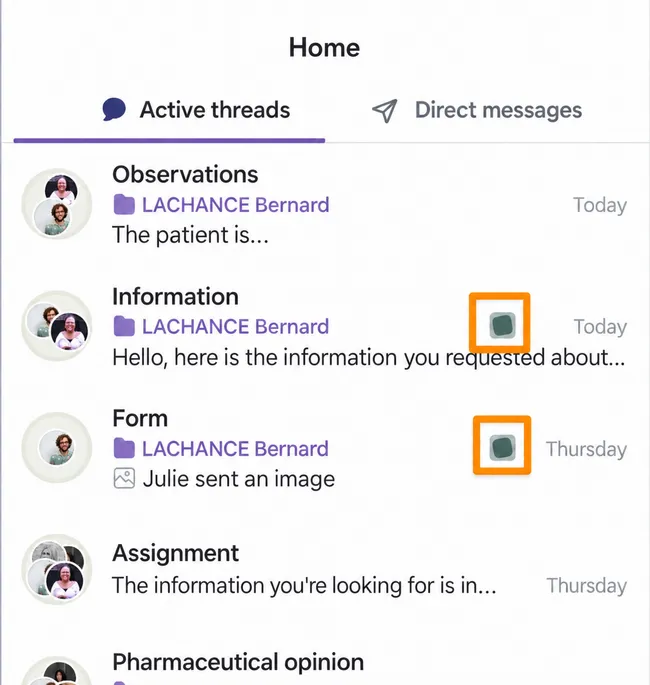
On the Home page, under the Active Threads tab, you can quickly recognize a discussion thread including a caregiver thanks to the green squares next to the date.
Section titled “On the Home page, under the Active Threads tab, you can quickly recognize a discussion thread including a caregiver thanks to the green squares next to the date.”