Reset Password
Step by Step
Section titled “Step by Step”-
During your login attempt, click on Forgot Password?
Section titled “During your login attempt, click on Forgot Password?”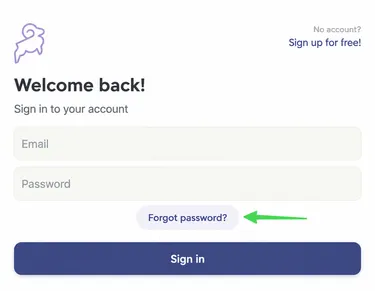
-
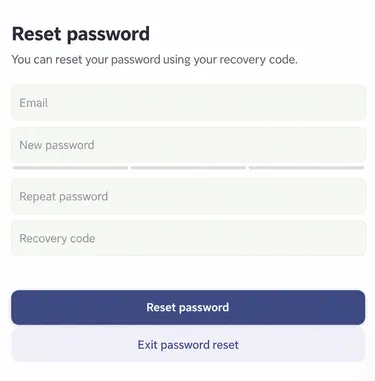
Fill in the requested fields. You will need to enter a new password and validate it by entering it a second time.
Section titled “Fill in the requested fields. You will need to enter a new password and validate it by entering it a second time.”Then, select Reset Password.