Assign Myself to a Discussion Thread Currently in Triage
Step-by-Step
Section titled “Step-by-Step”-
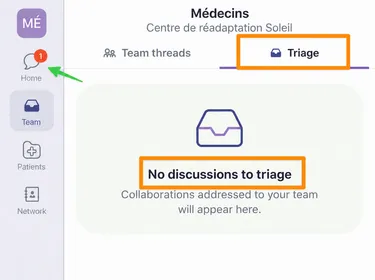
Click on Team tab to access your team’s triage box.
Section titled “Click on Team tab to access your team’s triage box.”
-
Select Triage to view the new message received by your team.
Section titled “Select Triage to view the new message received by your team.”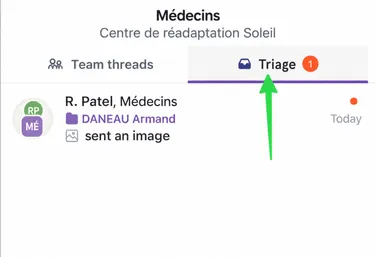
-
Click on the new message to open it. New messages are marked with a red circle and are highlighted.
Section titled “Click on the new message to open it. New messages are marked with a red circle and are highlighted.”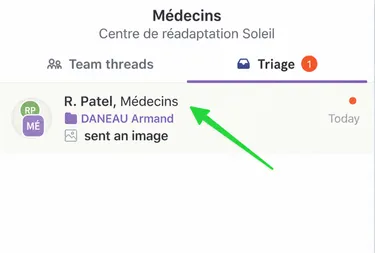
-
You will need to choose Accept and Assign to respond yourself.
Section titled “You will need to choose Accept and Assign to respond yourself.”
-
It will no longer appear in the triage box, but will be in your Active Threads under the Home tab.
Section titled “It will no longer appear in the triage box, but will be in your Active Threads under the Home tab.”