Prefill Patient or Caregiver Information
Step-by-Step
Section titled “Step-by-Step”-
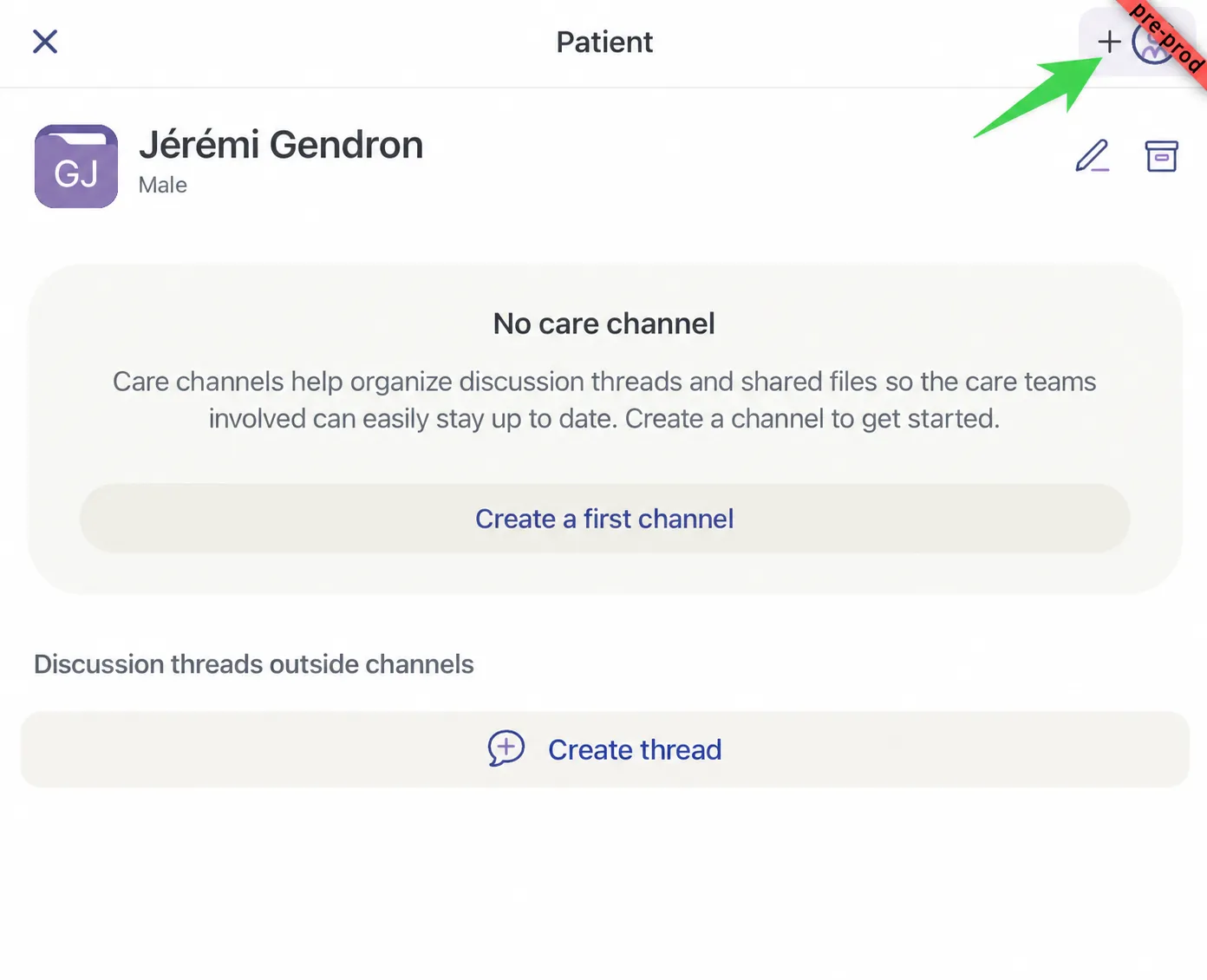
In the patient record, click the purple rectangle at the top right. The rectangle can show different symbols depending on where you are in the invitation process.
-
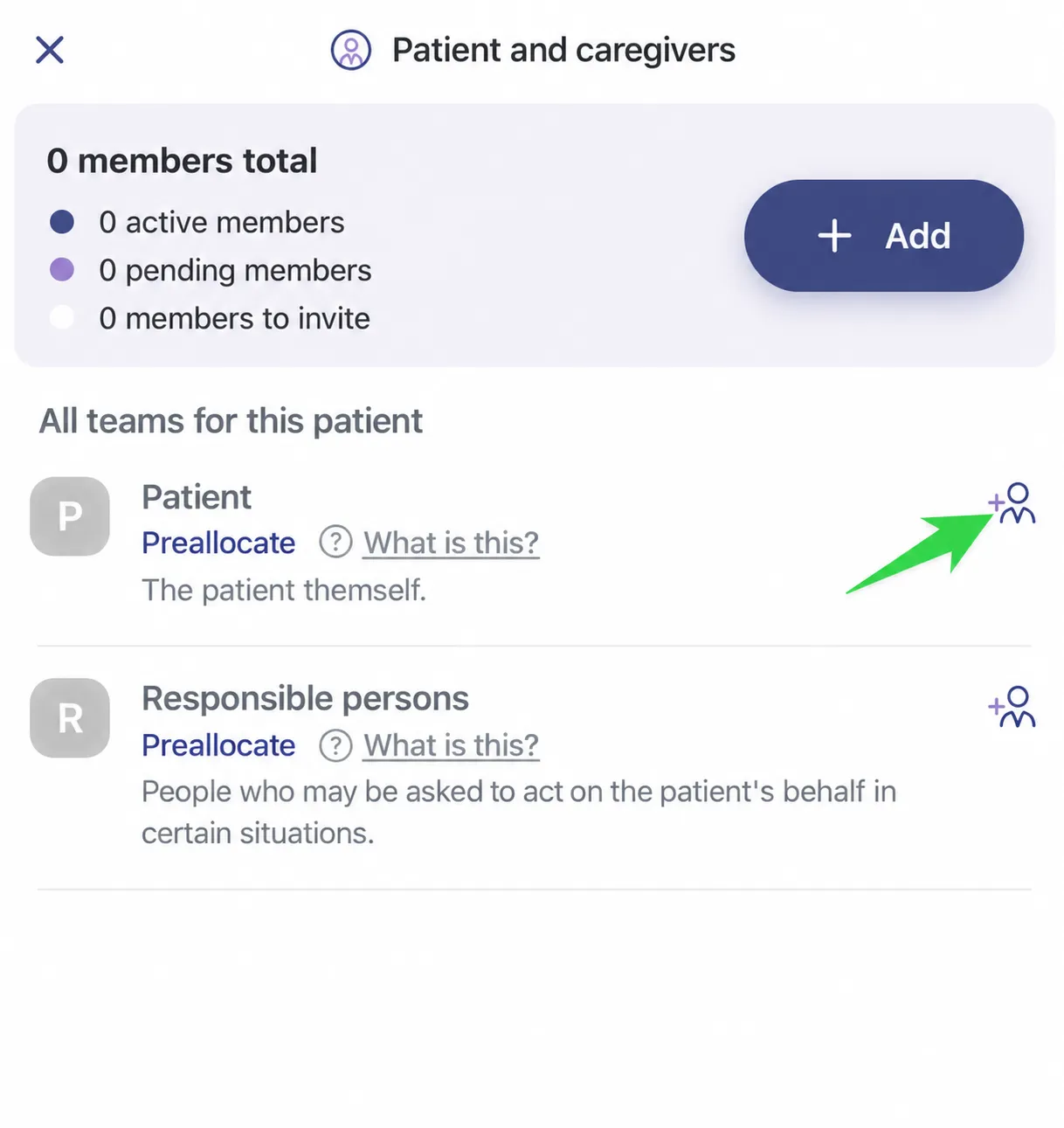
Click the plus sign with a person icon, to the right of the Patient option OR to the right of the Responsible person option, depending on who you want to invite.
-
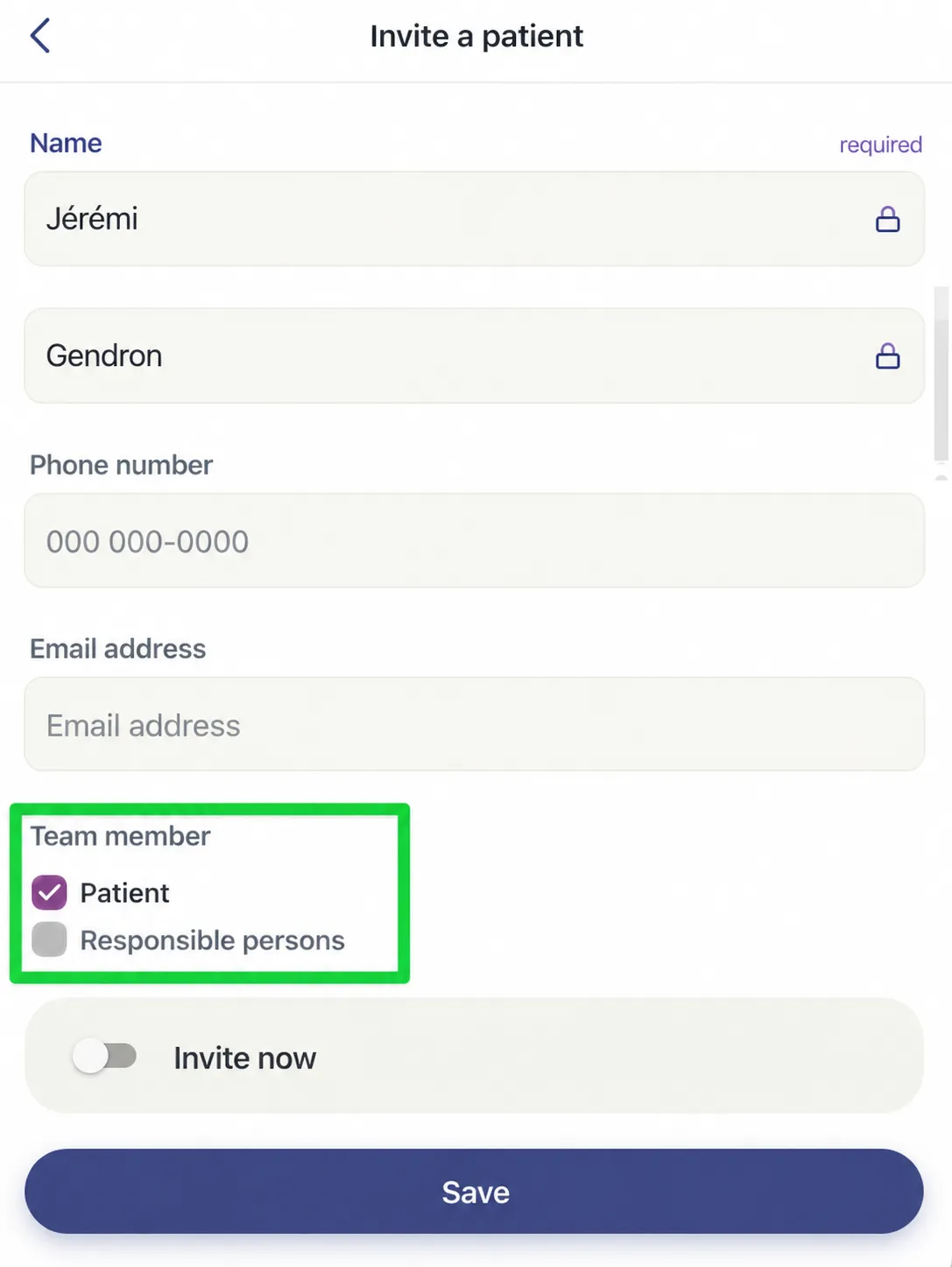
Fill in the required fields.
-
Click Save.