Assign or Unassign a Participant as Thread Responsible
Step-by-Step
Section titled “Step-by-Step”-
To see who is assigned to the discussion, you must access the list of participants in a discussion thread. Click on the thread that interests you.
Section titled “To see who is assigned to the discussion, you must access the list of participants in a discussion thread. Click on the thread that interests you.”
-
Click the button to access participants.
Section titled “Click the button to access participants.”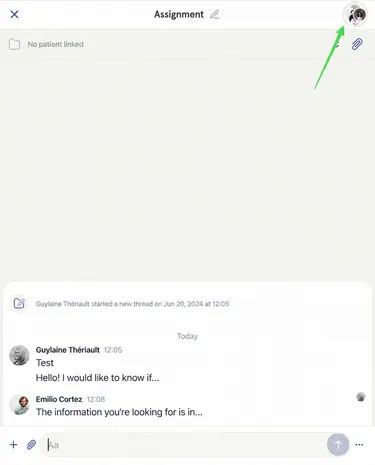
-
Here you can see that in the doctors team, Emilio is assigned.
Section titled “Here you can see that in the doctors team, Emilio is assigned.”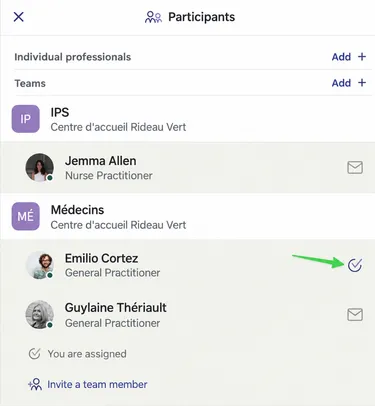
-
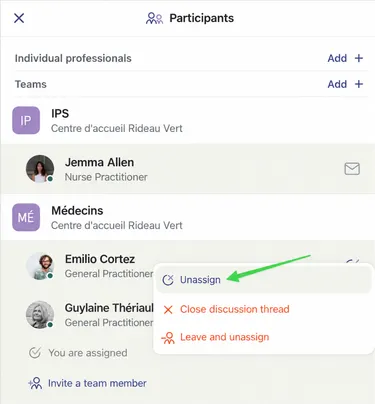
Emilio could unassign himself by clicking on the three small dots, then clicking “Unassign”.
Section titled “Emilio could unassign himself by clicking on the three small dots, then clicking “Unassign”.”On mobile, long press on Emilio to access the menu.
-
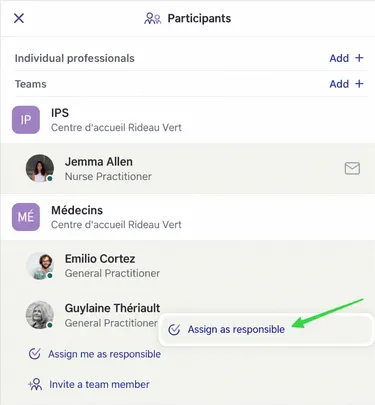
To assign yourself, access the same menu and click “Assign me as responsible”.
Section titled “To assign yourself, access the same menu and click “Assign me as responsible”.”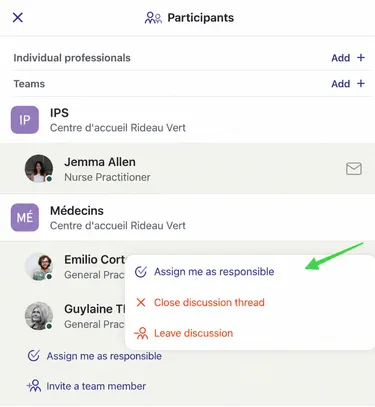
-
To assign another colleague, access the same menu and click “Assign as responsible”.
Section titled “To assign another colleague, access the same menu and click “Assign as responsible”.”