Modify PIN
Step-by-Step
Section titled “Step-by-Step”-
Select the badge with your photo or initials to access your profile, then click on your name.
Section titled “Select the badge with your photo or initials to access your profile, then click on your name.”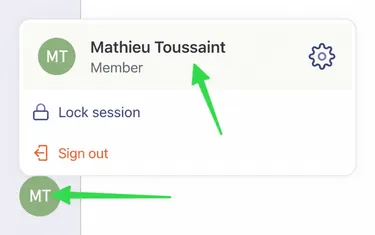
-
Select the Settings tab.
Section titled “Select the Settings tab.”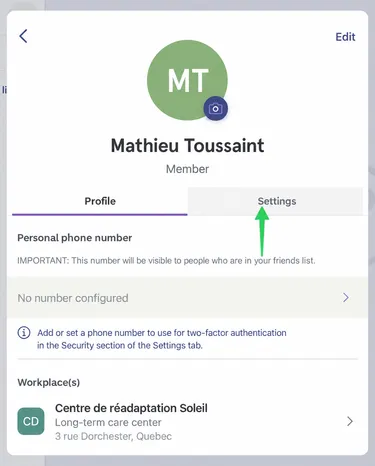
-
Under the Security section, select Change My PIN.
Section titled “Under the Security section, select Change My PIN.”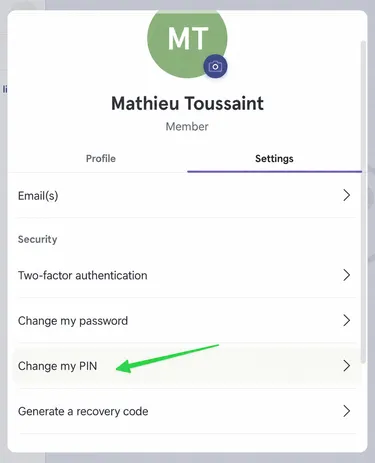
-
Enter the new PIN.
Section titled “Enter the new PIN.”
-
Repeat to ensure the two PINs match.
Section titled “Repeat to ensure the two PINs match.”