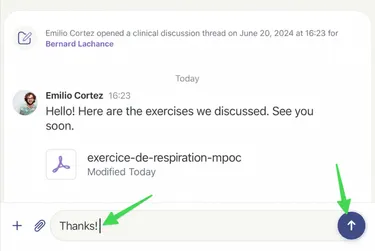
Responding to a New Message
Step by Step
Section titled “Step by Step”-
Click on the care team for which you have a notification.
Section titled “Click on the care team for which you have a notification.”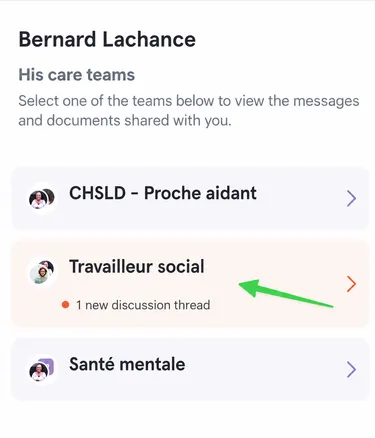
-
Then click on the message that shows the red badge with the mention Unread Discussion Thread.
Section titled “Then click on the message that shows the red badge with the mention Unread Discussion Thread.”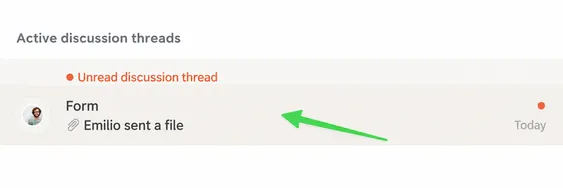
-
The new discussion thread is now open!
Section titled “The new discussion thread is now open!”- You can reply to the message using the text box at the bottom of the page.
- Then send your message by clicking on the upward-pointing arrow in the purple circle at the bottom right.