Pin a Document and View Version History
Step-by-Step
Section titled “Step-by-Step”-
To pin a file (photos, videos, documents) in a care channel, access a discussion thread in the care channel containing the file you want to pin.
Section titled “To pin a file (photos, videos, documents) in a care channel, access a discussion thread in the care channel containing the file you want to pin.”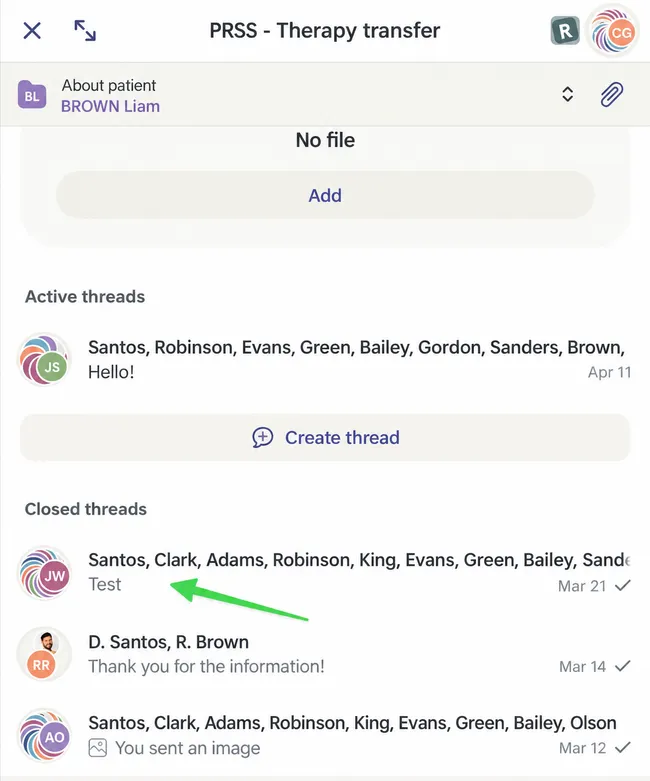
-
Click on the 3 small dots (web) or long press on the file (mobile).
Section titled “Click on the 3 small dots (web) or long press on the file (mobile).”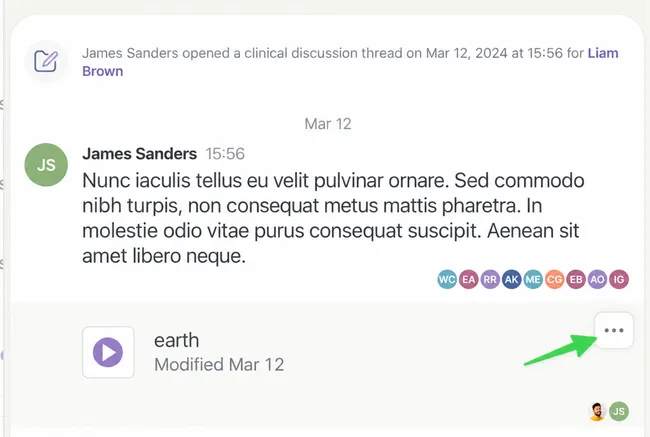
-
Click on Pin Document.
Section titled “Click on Pin Document.”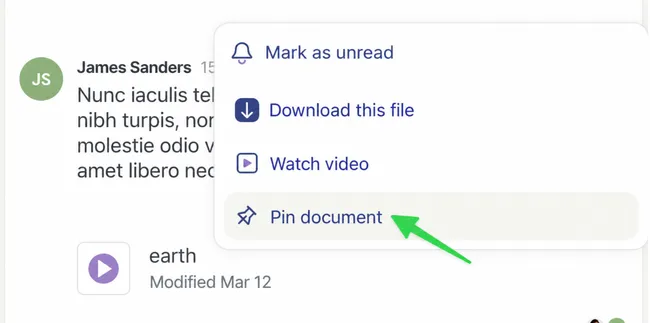
A small red pin will appear next to the file.
-
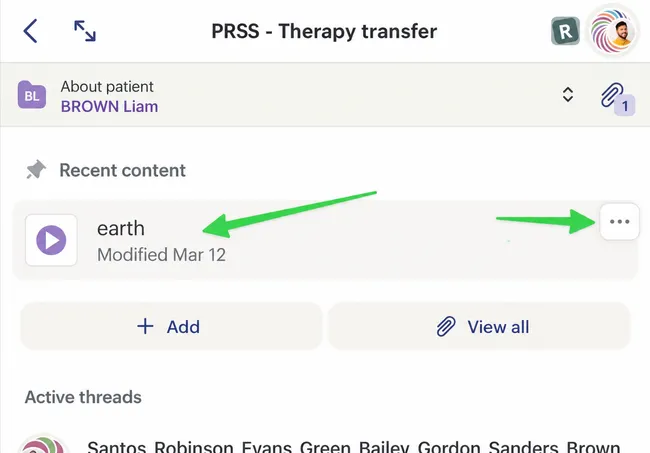
If we return to view the care channel details, we can see our pinned file.
Section titled “If we return to view the care channel details, we can see our pinned file.”We can replace this version of the document with a newer version. To do this, click on the 3 small dots (web) or long press on the file (mobile).
-
Click on the option to update.
Section titled “Click on the option to update.”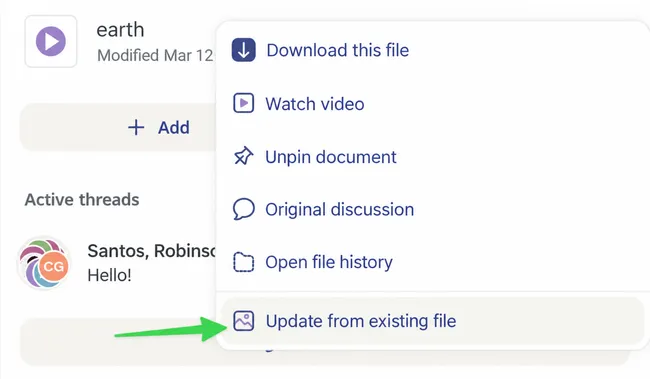
-
This will create a new thread to notify participants that a new version is uploaded. Write a message explaining the changes and complete the send.
Section titled “This will create a new thread to notify participants that a new version is uploaded. Write a message explaining the changes and complete the send.”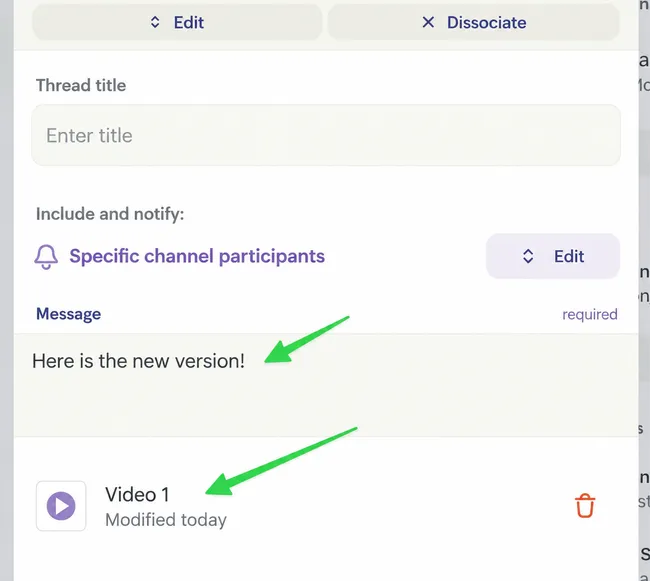
-
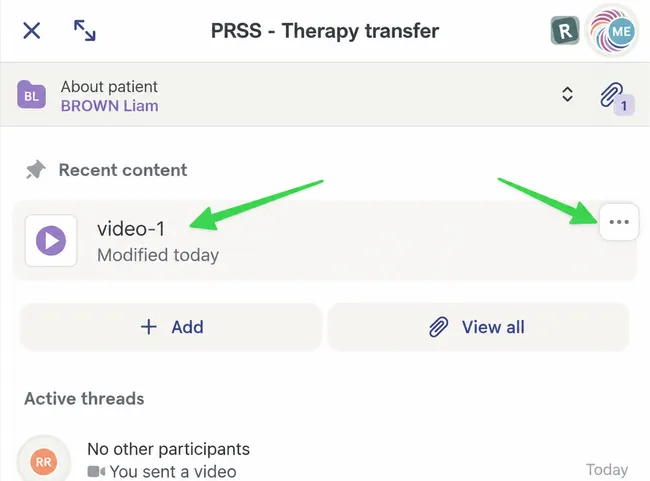
In the care channel, we now see the latest version of the file.
Section titled “In the care channel, we now see the latest version of the file.”To view previous versions of the documents, click on the 3 small dots (web) or long press on the file (mobile).
-
Click on Open File History.
Section titled “Click on Open File History.”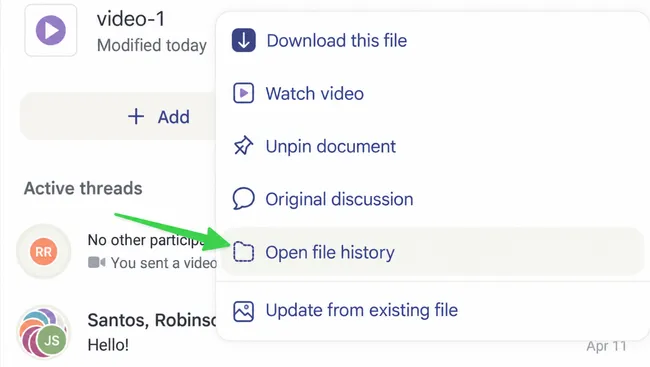
-
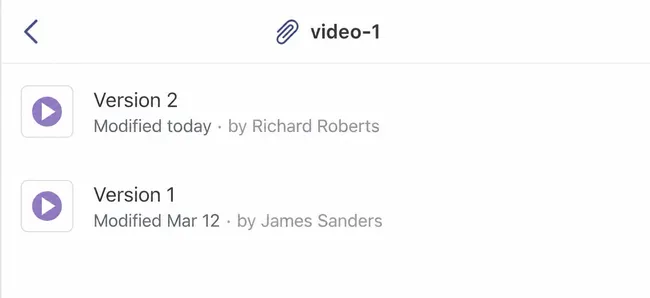
You will then see all versions of the file in question.
Section titled “You will then see all versions of the file in question.”