

Duplicate Discussion Thread
Step-by-Step
Section titled “Step-by-Step”-
While writing a new message or in a draft, click on the three small dots.
Section titled “While writing a new message or in a draft, click on the three small dots.”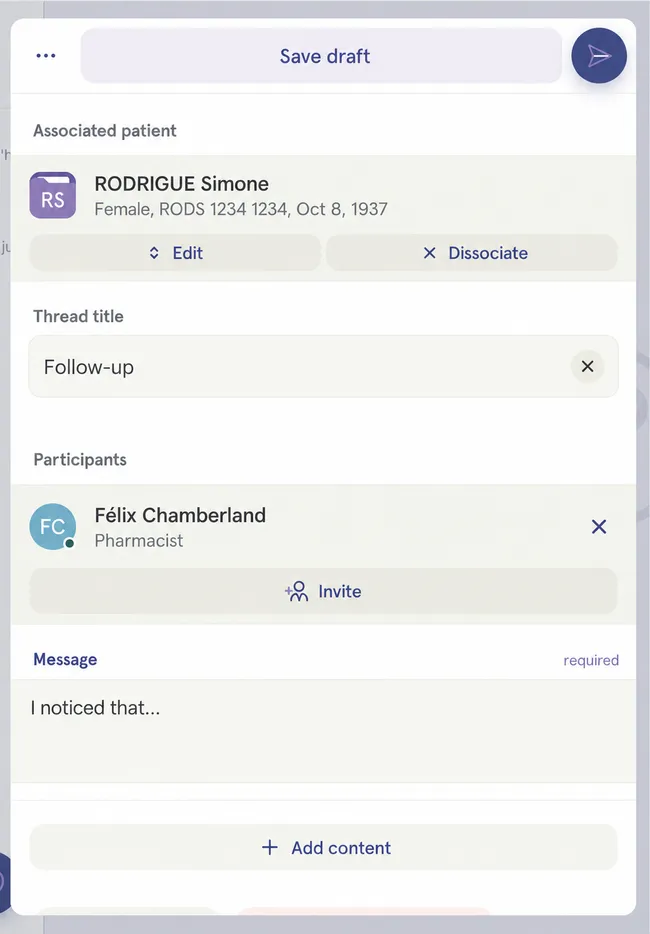
-
Select Duplicate this draft.
Section titled “Select Duplicate this draft.”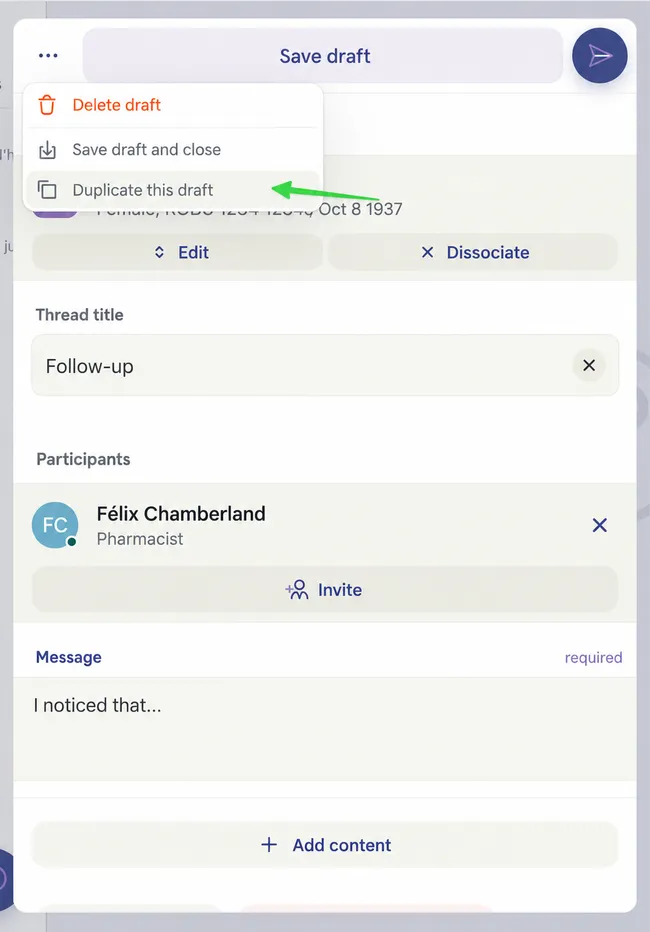
-
The message has been duplicated and now appears in your active threads. You can duplicate it as many times as necessary.
Section titled “The message has been duplicated and now appears in your active threads. You can duplicate it as many times as necessary.”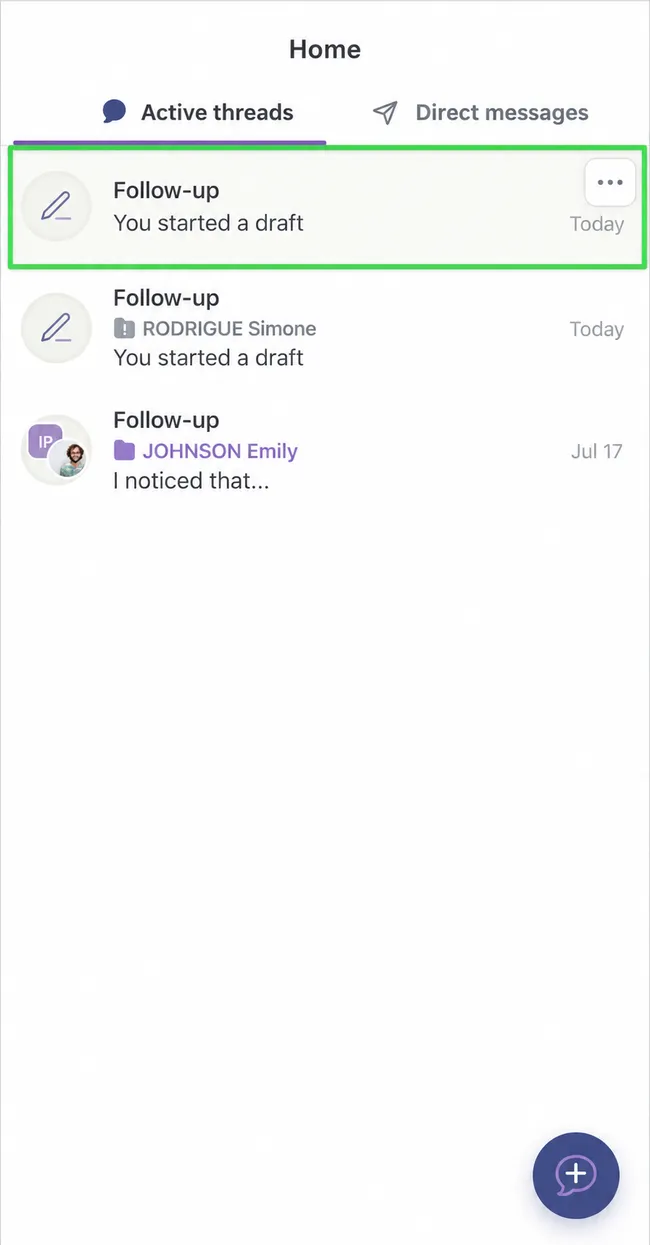
-
Note that the patient and participant associated with the original thread are not included in the copy.
Section titled “Note that the patient and participant associated with the original thread are not included in the copy.”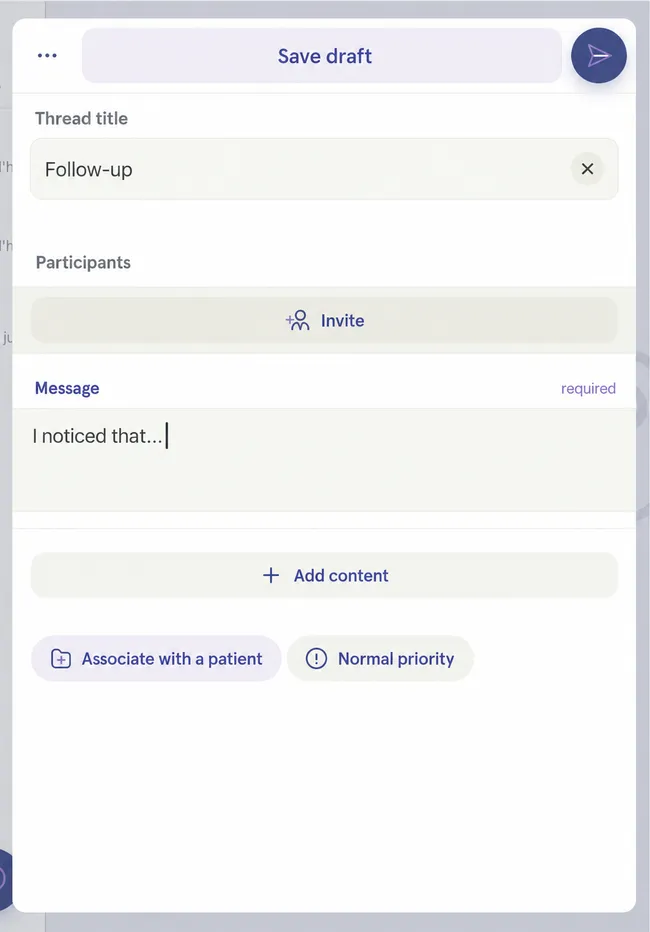
You can therefore associate it with the patient of your choice as needed and with new participants.