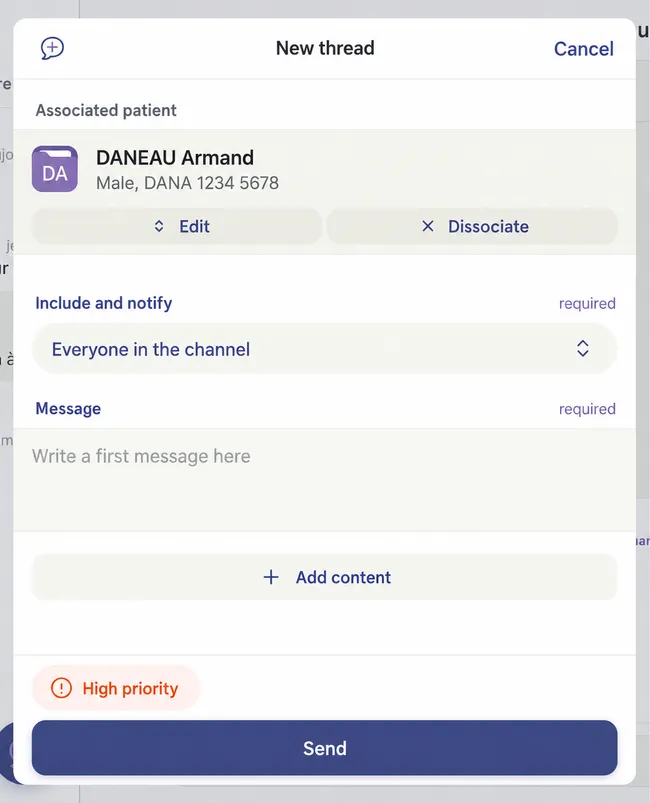
Indicate a Discussion Thread is High Priority
Step by Step
Section titled “Step by Step”-
When creating a new discussion thread, select the Normal Priority option.
Section titled “When creating a new discussion thread, select the Normal Priority option.”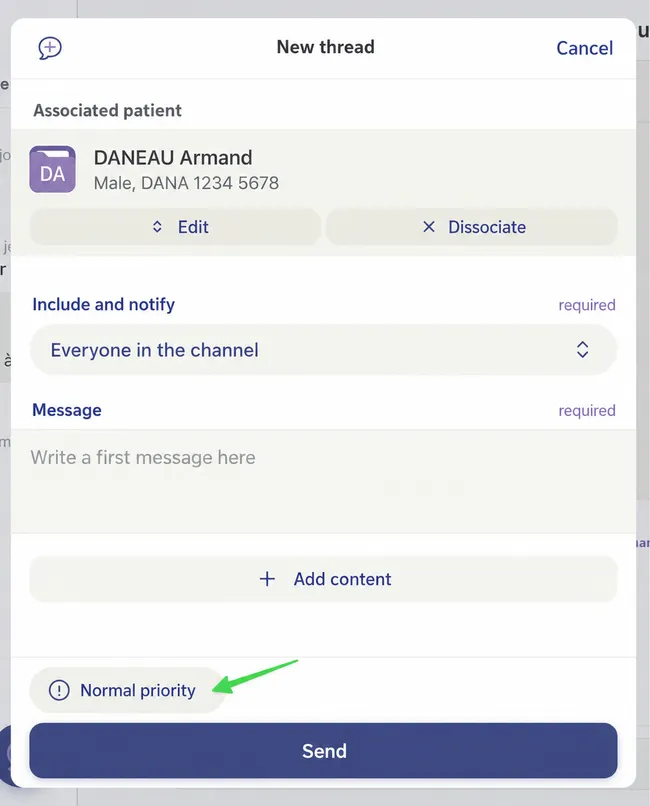
-
You can then modify it to High Priority.
Section titled “You can then modify it to High Priority.”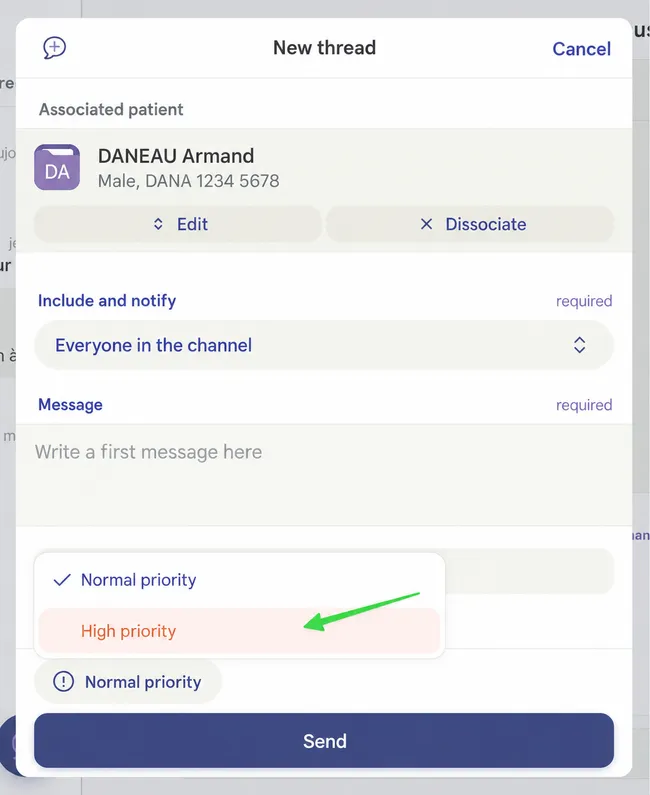
-
Fill in all necessary fields to start the discussion thread, then click Send.
Section titled “Fill in all necessary fields to start the discussion thread, then click Send.”