Save Discussion Thread Draft
Step-by-Step
Section titled “Step-by-Step”-
Create a new discussion thread.
Section titled “Create a new discussion thread.”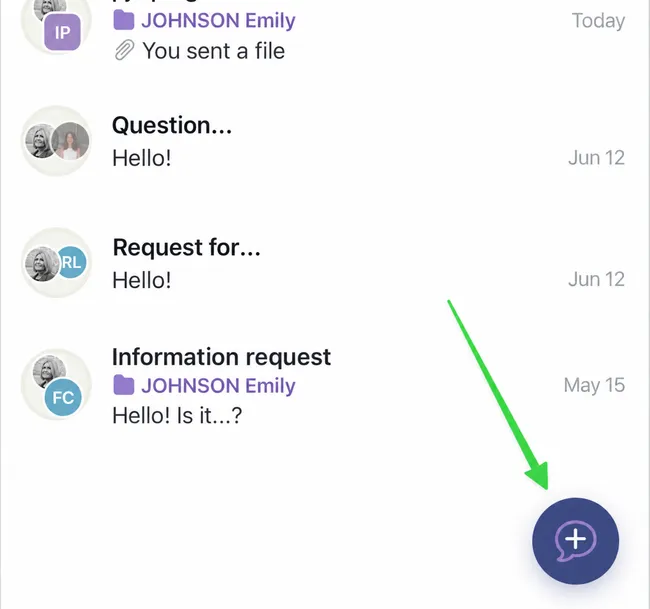
-
If you do not have time to complete your message, click Save draft.
Section titled “If you do not have time to complete your message, click Save draft.”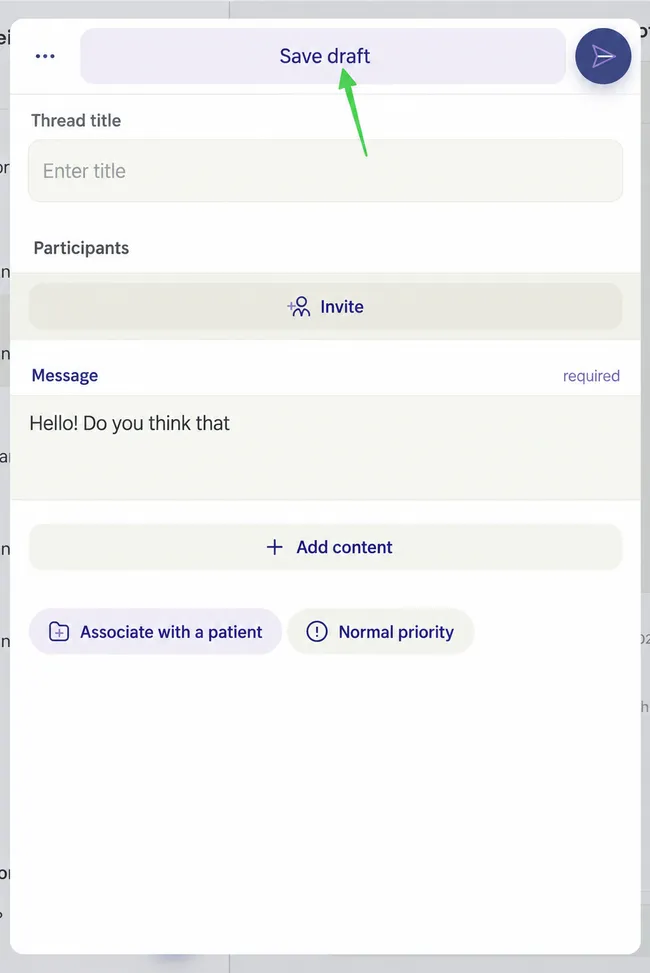
-
The draft will appear in your active threads. You will recognize it by the pencil image in the participant bubble.
Section titled “The draft will appear in your active threads. You will recognize it by the pencil image in the participant bubble.”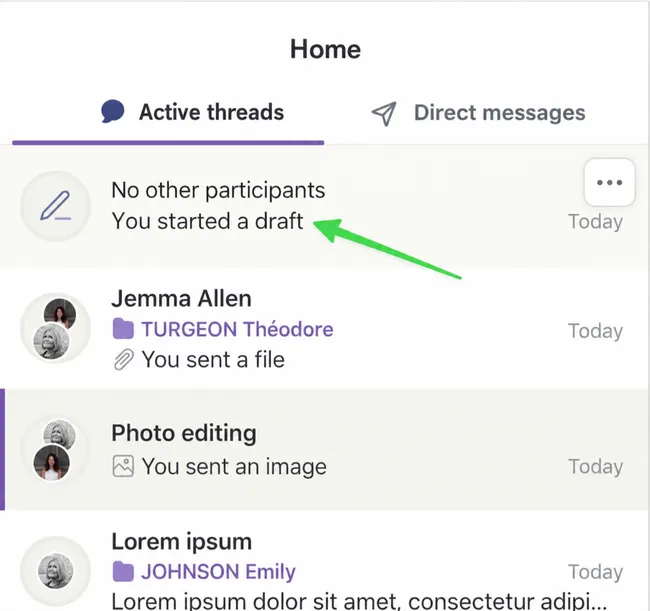
-
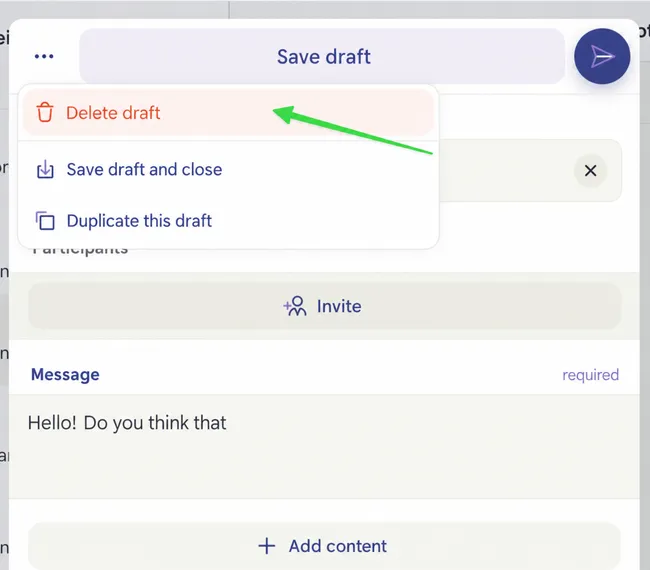
You can delete it by opening it and clicking on the three small dots, then Delete draft.
Section titled “You can delete it by opening it and clicking on the three small dots, then Delete draft.”You can also save it again or duplicate it to send it to other participants.
Section titled “You can also save it again or duplicate it to send it to other participants.”