

Preallocate a Patient and/or Caregiver
Step-by-Step
Section titled “Step-by-Step”-
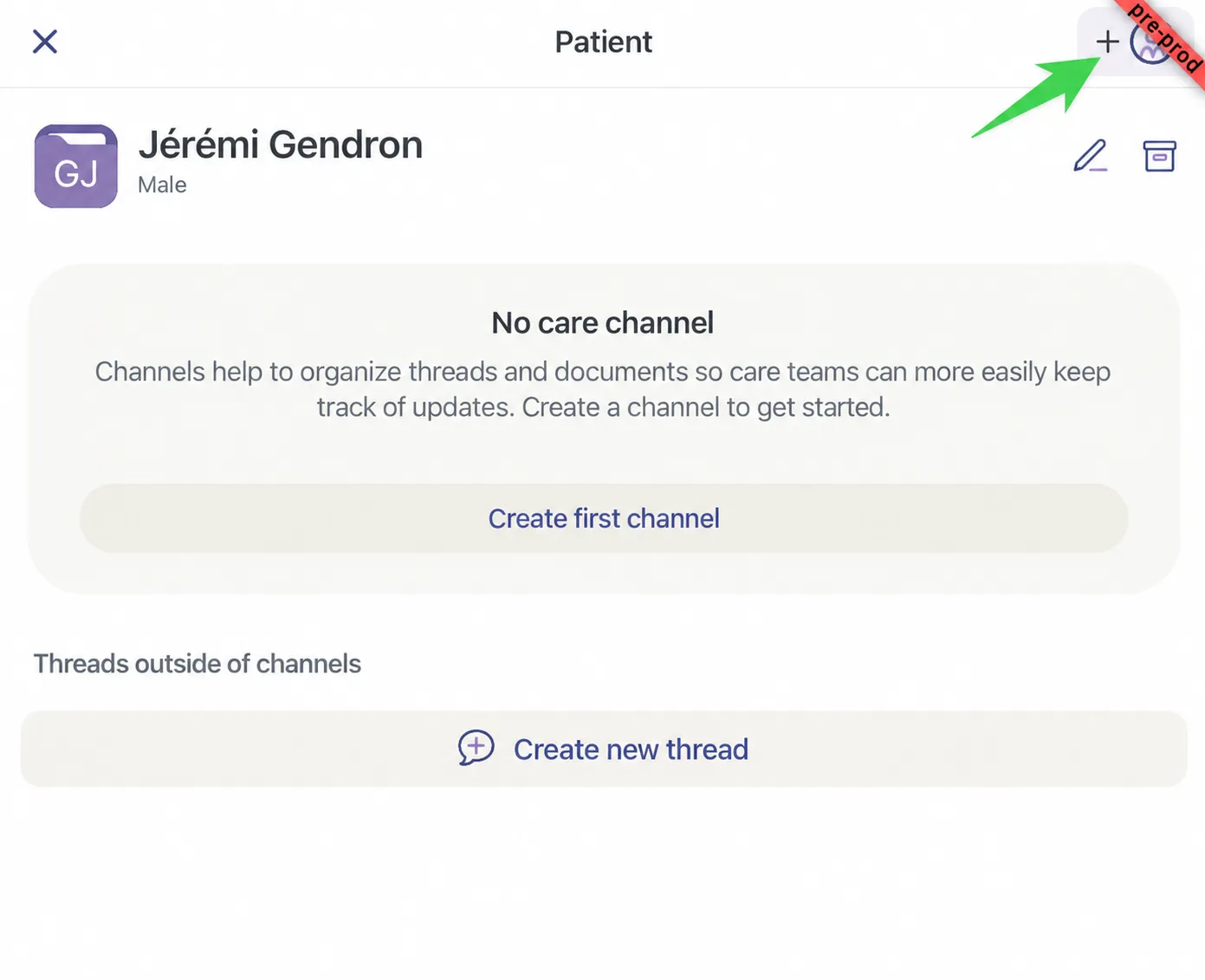
In the patient record, click the purple rectangle at the top right. The rectangle can show different symbols depending on where you are in the invitation process.
-
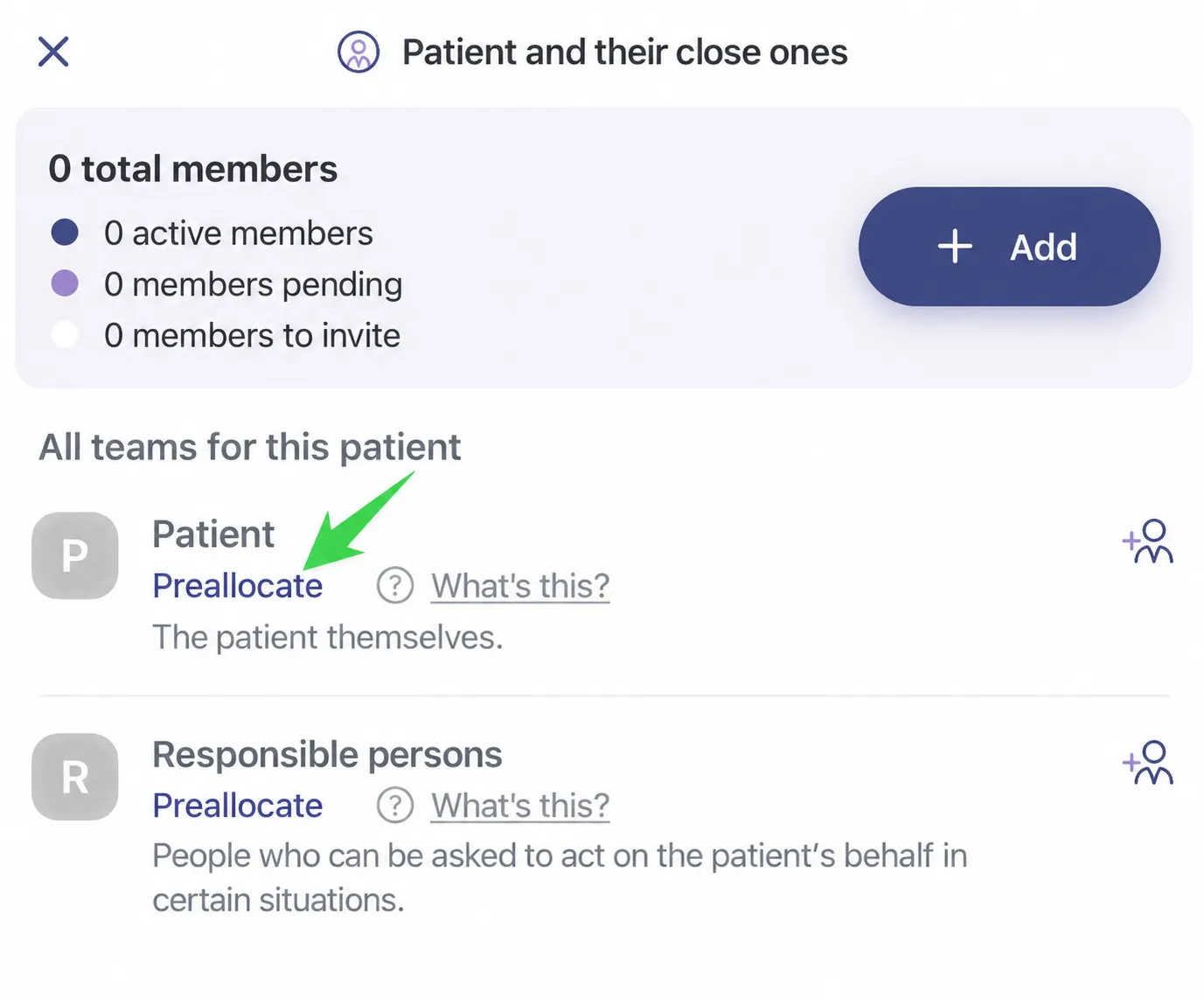
Under Patient or Responsible persons, click Preallocate.
-
You can now add the patient or the responsible persons to a care channel. As soon as they have a Braver account, they will have access to all the information in the care channel where they were preallocated.