

Configure Auto-suggestion
Decide when a trajectory is automatically suggested in patient files, based on the patient's status and a date range.
Auto-suggestion determines when the trajectory is automatically suggested in patient files, based on the patient’s status and a date range. This saves clicks during activation, and makes your teams autonomous if they are responsible for setting up a care channel for patients.
Turn On Auto-suggestion
Section titled “Turn On Auto-suggestion”-
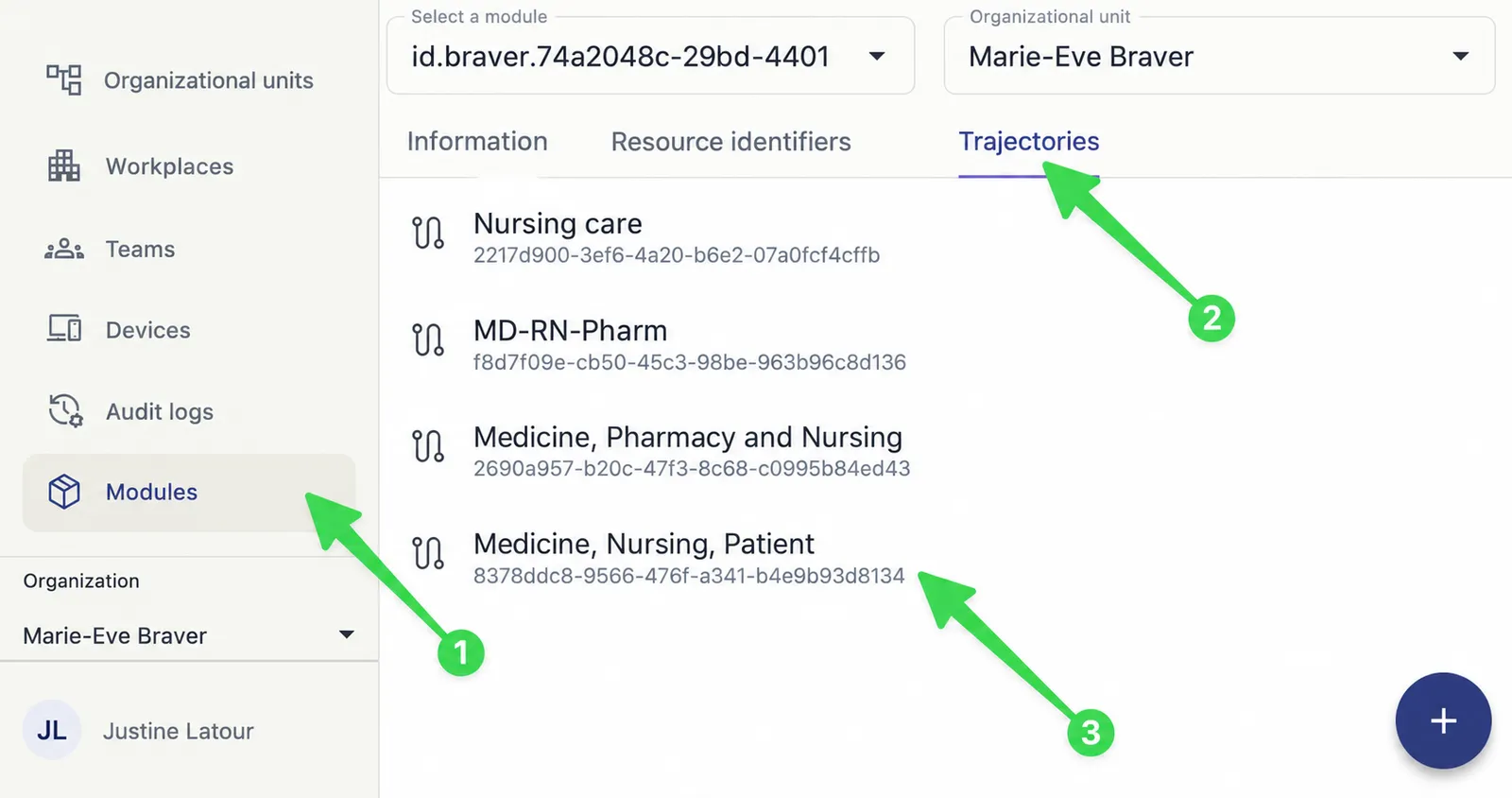
Select Modules, then the Trajectories tab, and choose the trajectory.
-
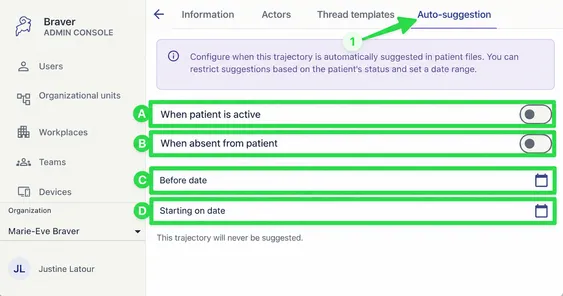
Select the Auto-suggestion tab and turn on the options you want. If the options are in a dialog, click Configure auto-suggest rules to open it.
Options
Section titled “Options”| Marker | Option | Effect |
|---|---|---|
| A | When patient is active | The trajectory is suggested for all active patients. |
| B | When absent from patient | The trajectory is suggested unless a corresponding care channel already exists. |
| C | Before date | Suggestions stop appearing on this date, at midnight. |
| D | Starting on date | Suggestions start appearing on this date. |
What’s Next?
Section titled “What’s Next?”Your trajectory is ready. You can go back to the starting page to review the steps or create another one.