Modify Profile Photo and Presentation Text
Step-by-Step
Section titled “Step-by-Step”-
Access your profile via your avatar at the bottom of the screen.
Section titled “Access your profile via your avatar at the bottom of the screen.”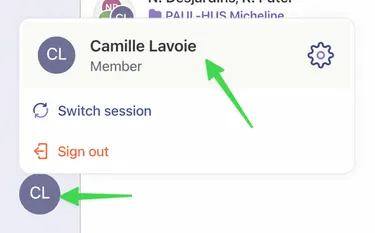
-
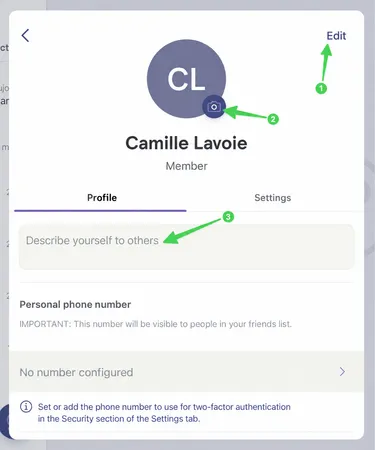
From here, you have a few options to modify your profile:
Section titled “From here, you have a few options to modify your profile:”- Modify your name
- Modify your profile photo visible to other users
- Modify your presentation text
-
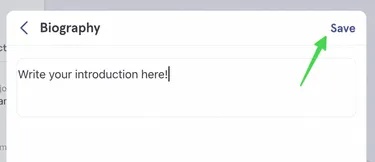
If you click on the presentation text, you can write your text in the indicated place and click Save when finished.
Section titled “If you click on the presentation text, you can write your text in the indicated place and click Save when finished.”