

Modify a Patient File
Step by Step
Section titled “Step by Step”-
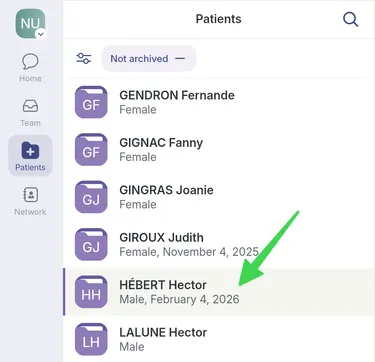
Go to the Patients page.

-
Select the patient record you want to edit.
-
Click the pencil icon at the top right of the patient record.

-
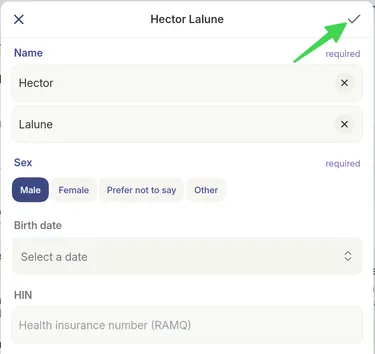
Save your changes by clicking the checkmark.
Go to the Patients page.
Select the patient record you want to edit.
Click the pencil icon at the top right of the patient record.
Save your changes by clicking the checkmark.