Add Profession
Step-by-Step
Section titled “Step-by-Step”-
Access your profile via your avatar at the bottom of the screen.
Section titled “Access your profile via your avatar at the bottom of the screen.”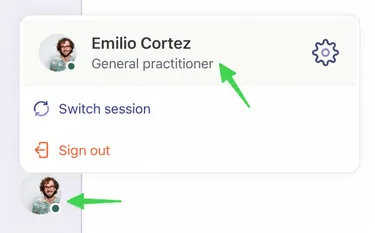
-
Select Add Profession. Here you can see that the profession of General Practitioner was already validated by the Braver team (see orange box).
Section titled “Select Add Profession. Here you can see that the profession of General Practitioner was already validated by the Braver team (see orange box).”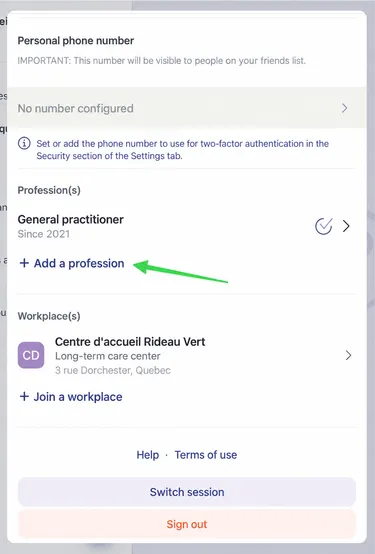
-
Fill in the necessary fields to add your profession.
Section titled “Fill in the necessary fields to add your profession.”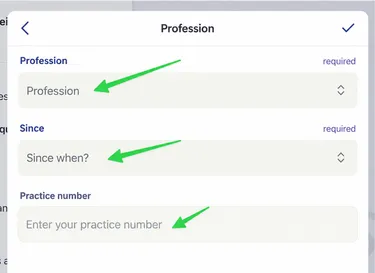
-
Then click the checkmark at the top right to save your profession.
Section titled “Then click the checkmark at the top right to save your profession.”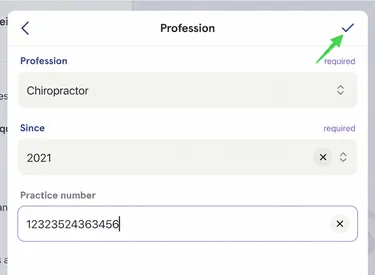
-
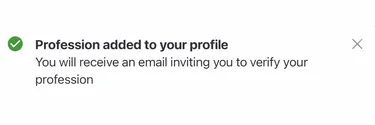
A confirmation message will appear on the screen.
Section titled “A confirmation message will appear on the screen.”