Add Participant to Existing Care Channel
Step by Step
Section titled “Step by Step”-
In the patient file concerned, locate the care channel for which you want to add a participant. Click View Details.
Section titled “In the patient file concerned, locate the care channel for which you want to add a participant. Click View Details.”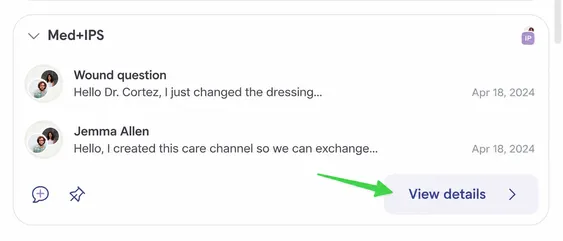
-
Click on the participant avatars at the top right.
Section titled “Click on the participant avatars at the top right.”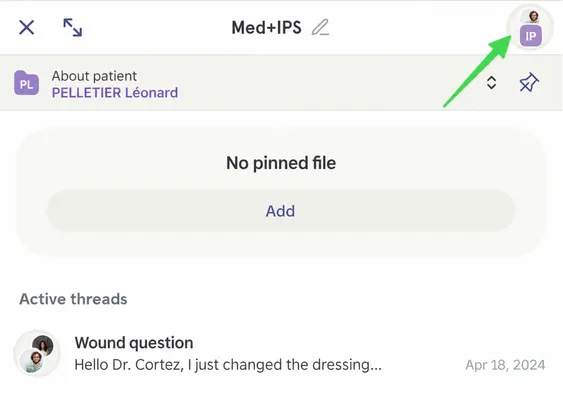
-
To add an individual participant (not a team), click here.
Section titled “To add an individual participant (not a team), click here.”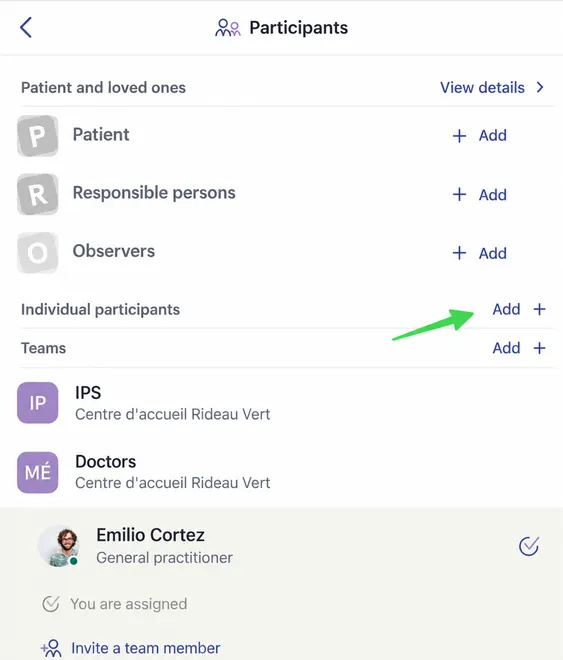
-
Select the desired participant. If they do not appear automatically, search for them using the search bar.
Section titled “Select the desired participant. If they do not appear automatically, search for them using the search bar.”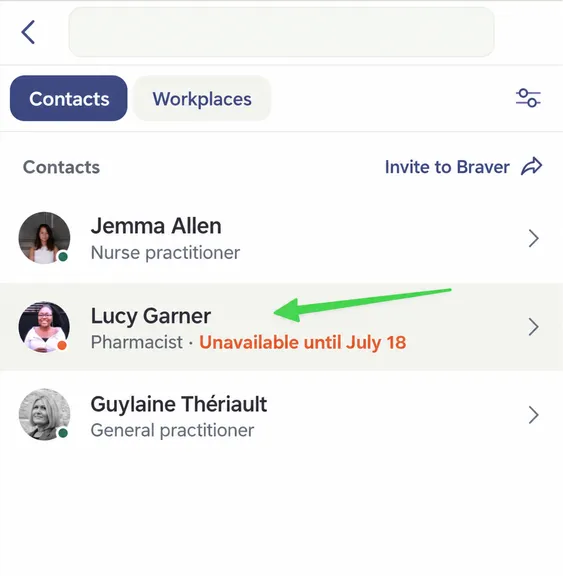
-
Click Add to Discussion, then confirm your choice.
Section titled “Click Add to Discussion, then confirm your choice.”