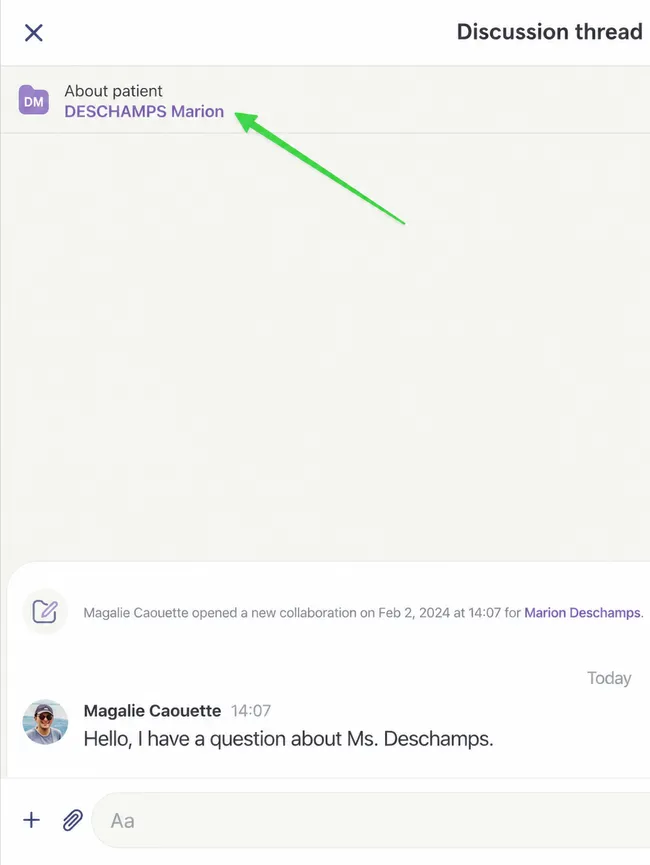
Join Discussion About New Patient
Step by Step
Section titled “Step by Step”-
If you receive a discussion thread for a patient not yet associated with your patient file bank, the icon will be gray.
Section titled “If you receive a discussion thread for a patient not yet associated with your patient file bank, the icon will be gray.”
-
You can then Accept or Refuse to respond to the discussion thread. Notice the orange mention about the patient file.
Section titled “You can then Accept or Refuse to respond to the discussion thread. Notice the orange mention about the patient file.”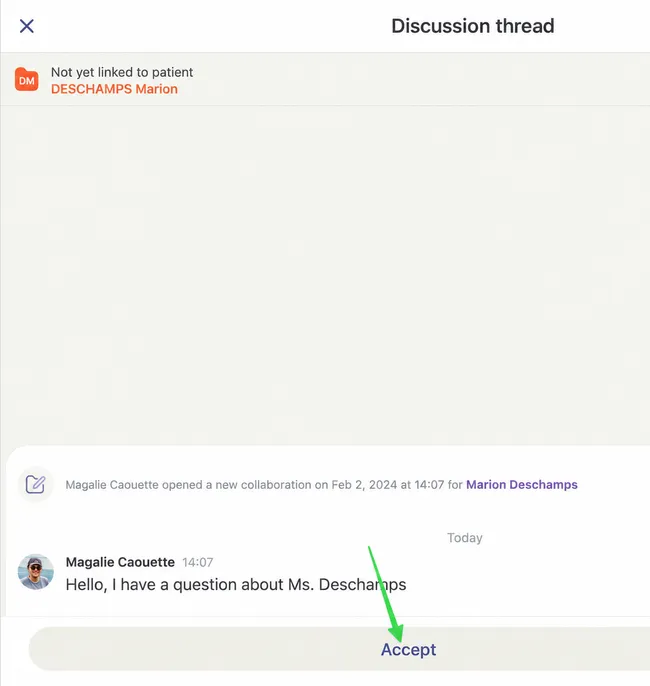
-
To link the discussion thread to the correct patient, you will need to click on the patient file at the top of the thread.
Section titled “To link the discussion thread to the correct patient, you will need to click on the patient file at the top of the thread.”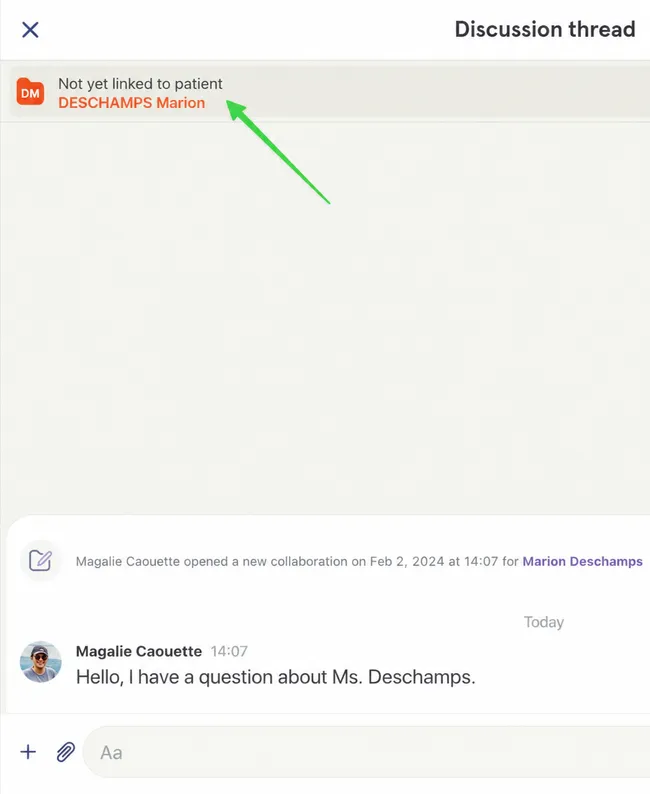
-
Select Associate with a patient.
Section titled “Select Associate with a patient.”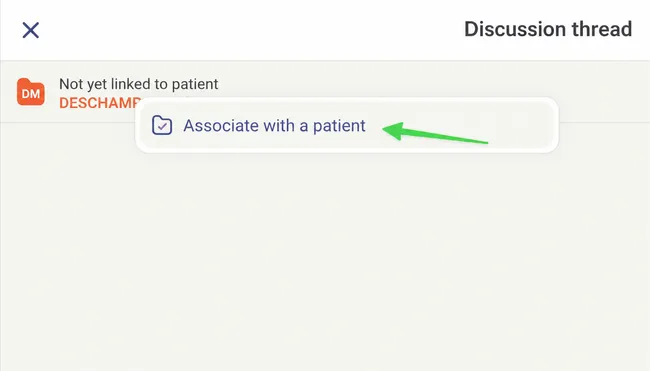
-
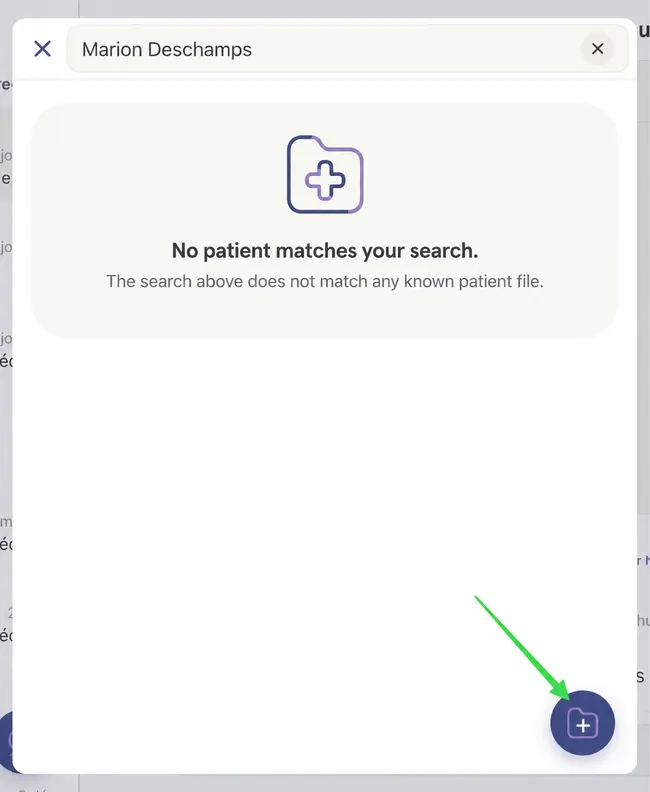
In this case, the patient is not in your patient file bank.
Section titled “In this case, the patient is not in your patient file bank.”If this had been the case, you could have selected her from your patient files.
You must therefore create a new patient file.
Click on the icon at the bottom right.
-
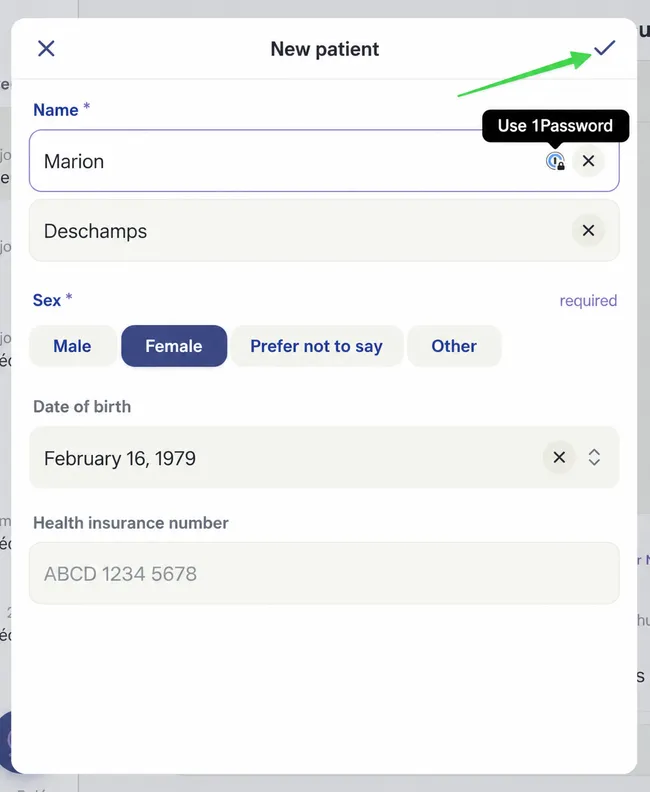
Validate the information and modify it if necessary.
Section titled “Validate the information and modify it if necessary.”Then save by clicking on the checkmark at the top right.
-
The patient file is now created!
Section titled “The patient file is now created!”