Modify Password
Step-by-Step
Section titled “Step-by-Step”-
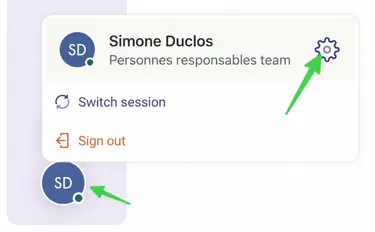
Start by navigating to your profile at the bottom of the screen.
-
Select the Settings tab.
Section titled “Select the Settings tab.”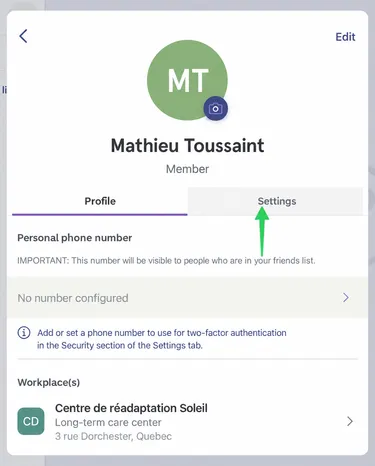
-
Under Security, select Change My Password.
Section titled “Under Security, select Change My Password.”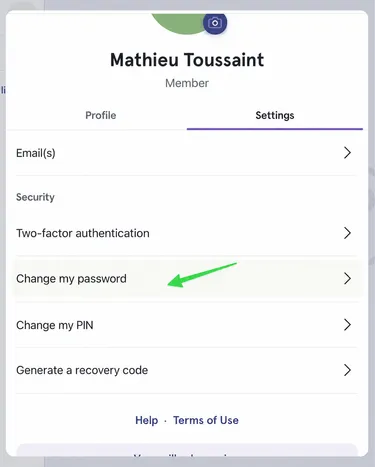
-
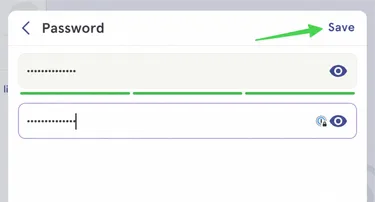
Enter the new password, then repeat to ensure both passwords match.
Section titled “Enter the new password, then repeat to ensure both passwords match.”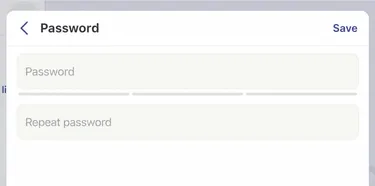
-
When you are finished, click Save at the top right.
Section titled “When you are finished, click Save at the top right.”