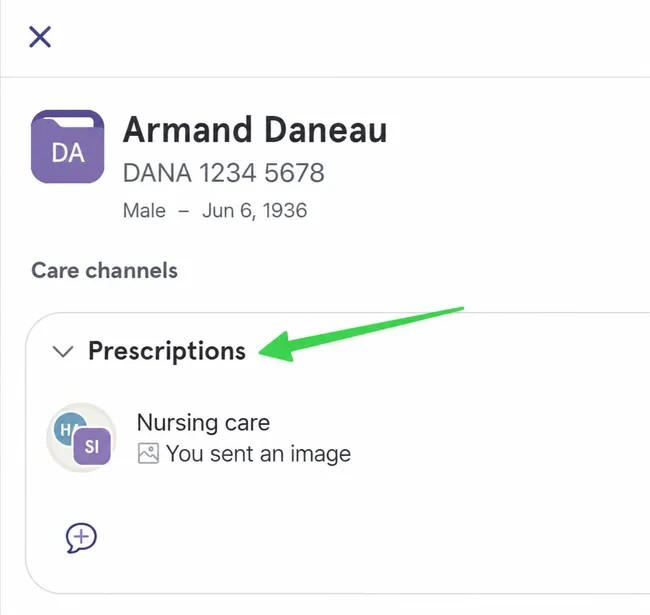
Create a New Care Channel
Step by Step
Section titled “Step by Step”-
In the patient tab, choose the patient you are interested in, then click on the three dots and “Create Channel” in the menu.
Section titled “In the patient tab, choose the patient you are interested in, then click on the three dots and “Create Channel” in the menu.”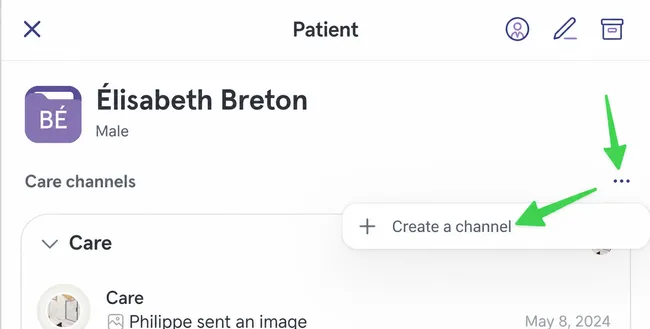
-
Give a title to the new channel.
Section titled “Give a title to the new channel.”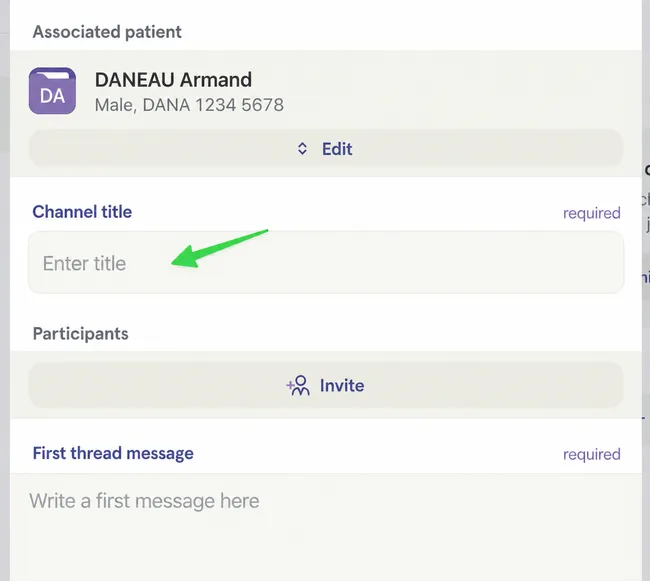
-
Indicate which participants you want to involve in the care channel by clicking Invite.
Section titled “Indicate which participants you want to involve in the care channel by clicking Invite.”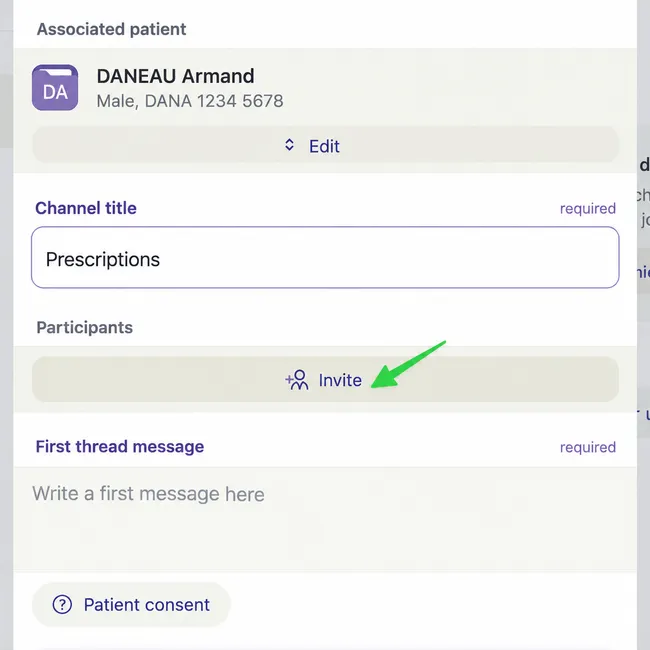
-
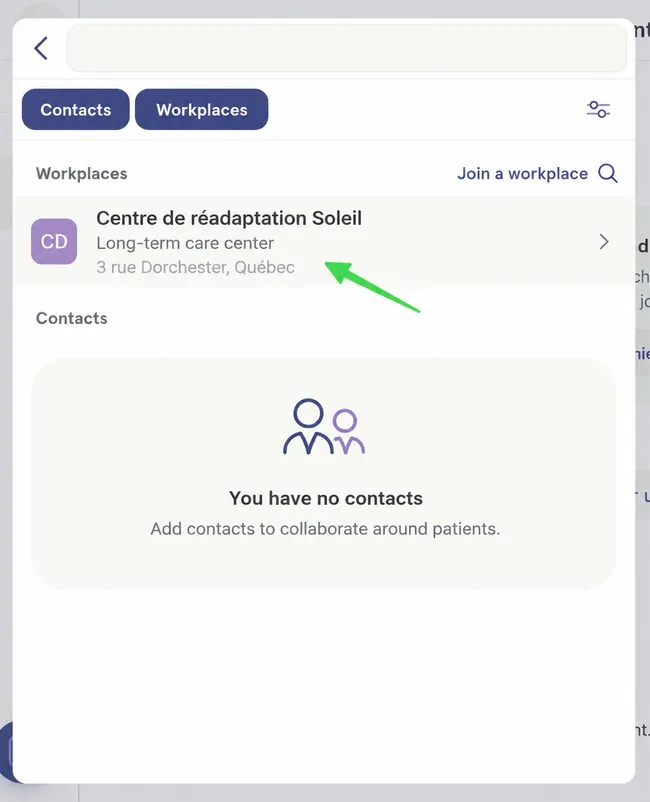
At this point, you could choose a participant from a workplace (as in the example).
Section titled “At this point, you could choose a participant from a workplace (as in the example).”You could also use the search bar at the top of the page to find the desired participant.
-
If you want to involve a team in the care channel, click directly on Add to Discussion at the top of the workplace, then select the team or teams needed by repeating the last steps.
Section titled “If you want to involve a team in the care channel, click directly on Add to Discussion at the top of the workplace, then select the team or teams needed by repeating the last steps.”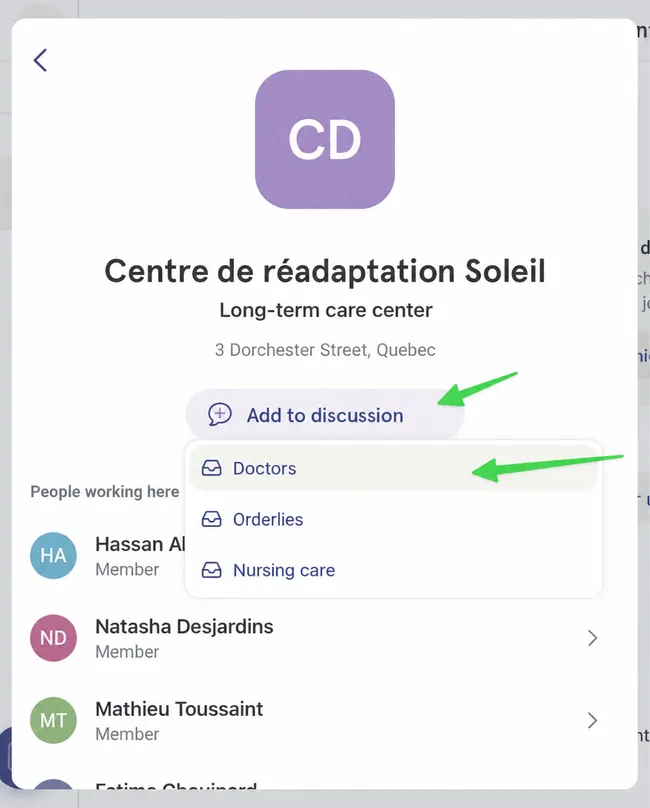
-
Once your participants are selected, write your first message and add content if you wish. To finish, create the channel using the paper airplane button.
Section titled “Once your participants are selected, write your first message and add content if you wish. To finish, create the channel using the paper airplane button.”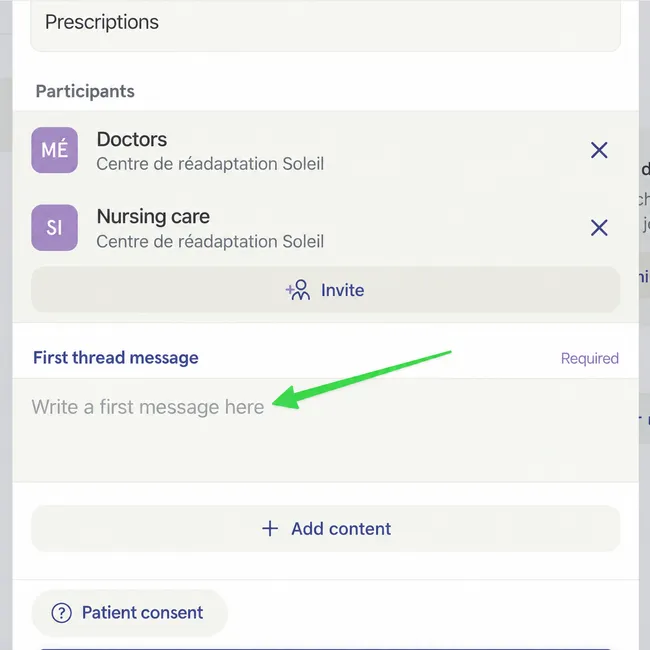
-
Your new care channel has been created in the selected patient file.
Section titled “Your new care channel has been created in the selected patient file.”